Despite the clunkiness of Adobe features for creating slideshows (or because of it), there still a steady stream of interest. Traditional slideshows can be easily built with audio in Lightroom and Encore DVD, and with only a little more work you can pull them off in After Effects and Premiere, and go beyond into creative motion graphics. There's a few resources to help in Slideshows in After Effects.
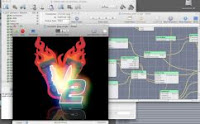
CoreMelt is offering 33 free plug-ins collected from CoreMelt products (leaving 180 for purchase). CoreMelt FREE! plug-ins run in After Effects, FCP, and Motion on the Mac (only), but no longer require FxFactory. [update: Yanobox is now offering another free FxFactory filter, Barcode. Idustrial Revolution has more in Freebie Pack 1and elsewhere.]
FxFactory also offers free Mac-only plug-ins with the trial install (about 14 with tutorials on their website), including CoverFlux (like iTunes CoverFlow) and Manifesto (a title crawl generator).
Projector Malfunction, Random Crop, Video screens 2way
8 Band EQ, 16 Band EQ, 127 Band EQ, EQ Line Segments, EQ Simple 3D, EQ Pixelstix 3D, EQ Tower Cities, VU Analog, VU Digital, VU Rolling Gauge, VU Audio Radar, WV Oscilloscope, WV Voiceprint, WV Waveforms 3D
Adobe has a new tutorial for Premiere, Dynamic Slide Shows (embedded below). It's useful for the most part for setting up the "Ken Burns effect," but undersells Premiere a bit by ignoring drifting issues with changing position and scale that are solved by using the Anchor Point property instead of Postion (in both AE and Premiere).
EfectoHD shares his process and project files for making a slideshow of photos without keyframes in After Effects: "More than a tutorial, this is the explanation of a technique that I can be of use when creating these slideshows easy in After Effects without creating not a single keyframe.The technique involves creating a series of zero, each with a basic motion: zoom in, zoom out, panning left, panning right ... all with a constant speed then we will provide a basis to encourage the photos." ...via Lester Banks.
ForaTV has Ken Burns in Conversation with Robert Stone from The New York Public Library. Burn talks about how Steve Jobs roped him into the association with the effect for iLife; see time 1:33:30 in the video embed. [see another interview at the Archive of Television]
By the way, Noise Industries is still offering a free FxPlug, Fxfactory pan and zoom plug-in (Mac). There are numerous tutorials for this effect if you don't have a plug-in. Shane Ross did a video tutorial for FCP at Creative Cow. In the Adobe world, this sort of pan & scan is done by Anchor Point animation; see Chris and Trish Meyer's article on pan & scan at Artbeats and More Motion, Less Control (on adding a human touch) at PVC for good results.
Update: Stu Maschwitz added a new product, Prolost Burns, an Animation Preset for After Effects CS6+ that automates the process of creating this type of animation.
And of course Topher Welsh follows soon after with a post today. Of note here are the recent intermediate level videos for AE from Greyscale Gorilla – "How to Work Faster in AE" and "How to Use Simple Shapes and Masks" (below).
Another good intermediate level video comes from Jeff Carrion at SuiteTake, via the EDITBLOG on PVC, "The Top-Ten Things I Wish I Knew About Final Cut Pro…Ten Years Ago:"
Update: The Top 10 Final Cut things to know, listed from SuiteTake,
10. Shift and option dragging 9. Quick Ken Burns effect [slideshows] 8. QuickTime vs Quicktime Conversion. 7. The Black and code button. 6. Option 1,2,3 for transition alignment 5. Esc, tab, spacebar to navigate windows 4. Apply normalization to audio in FCP 3. Disable dropped frames warning. 2. Disable rendering with caps lock. 1. Map your keyboard.
Of course the top 10 varies by person, and extends quickly to other matters beyond UI; for more advice see AEP's Better editing + shooting & music for useful lists of editing tips from Oliver Peters, Steve Hullfish, Chris Meyer, and Little Frog, and advice on more general issues from Hitchcock, Scorsese, Murch, and others.
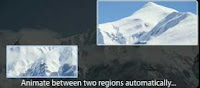
There's now an After Effects version of ImageFlow (Mac OS X only), a tool for creating photo montages and slideshows from folders of images directly from the timeline. ImageFlow can save some users hours from manually animating still images.
Also, two of the plug-ins are free to keep if you install the demo version; both "Continuous Random Pan" and "Image Filmstrip" do not have any expiration or watermark. Full details are at Coremelt's website.
CoreMelt plans to demo at NAB with partner Noise Industries at the Plug-in Pavillion, booth SL2128H.
iPhoto provides an easy way (exporting a slideshow) to make a movie with the Ken Burns effect on a ton of pictures. Adobe has nothing like it as far as I can tell -- unless you're making a DVD then Encore has a slideshow feature.
Now, there's a new FxPlug filter that does something similar, though besides a few transitions I can't tell right now what Image Flow FX has over iPhoto, and it might be missing features. For more check out The Editblog's review of Image Flow Fx.
Regina McCombs has a basic but thoughtful post on Poynter Online:
Meaning in Motion: Ken Burns and His 'Effect'
Zooms, tilts and pans can enhance impact or induce illness. The master of movement on still photos offers insight on managing multimedia.
Update: see also interviews and more in The Ken Burns Effect — and beyond. Here's some history from Donald S. Berman on FinalCutPro-L (10-5-2011),
'Ken Burns "developed" the effect named after him with Ed Joyce and Ed Searle of the Frame Shop, located at that time in Watertown, MA. Burns used to hang around our edit rooms learning how to handle large quantities of documentary footage. Joyce had spun off from Education Development Center when its film operation closed down. Joyce and Searle had set up an Oxberry and also had developed motion graphics techniques with computer controlled cameras. ... Ken got the credit and, eventually, the Frame Shop went bust and there are only a very few of us around to tell the tale.'
Here's some more from others in that thread:
Before The Civil War, who thought a crazy-long documentary composed of talking heads and old photographs would draw and hold such a large audience?
---- He didn't invent moves on stills but as far as I know, until Burns, no one made a 9 episode, 10 hour series that was so dependent on them nor was anyone willing to linger on a specific still for the length of time Burns and his creative team employed.
I admire that he trusted that if viewers were given the right context and the opportunity to actually look at photographs and documents (without white flashes, snap zooms, swish pans, elaborate photoshopping/AE work, or even their replacement with "reenactments") the stills would sustain the viewers' interest. In my experience, most of the time, stills are seen as the thing you stick in when you don't have footage to avoid having nothing on the screen or a jumpcut.