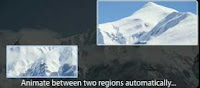
Adobe has a new tutorial for Premiere, Dynamic Slide Shows (embedded below). It's useful for the most part for setting up the "Ken Burns effect," but undersells Premiere a bit by ignoring drifting issues with changing position and scale that are solved by using the Anchor Point property instead of Postion (in both AE and Premiere).
Mechanism Digital posted a press release about their use of face replacement in fictionalized "reenactments" (journalism itself can be a contradiction in terms) for an MSNBC documentary on Timothy McVeigh:
"On the set, Peacock shot thousands of high resolution photographs of recreated scenes, visual elements and a stand-in actor depicting McVeigh in action. Mechanism then built a CG 3D model of Timothy McVeigh’s face and replaced every frame of the actor’s face with it.
Mechanism’s unique approach to facial replacement had never been used in documentary filmmaking before which gave the compositor every possible frame of final rendered CGI in advance. In developing and refining this technique, multiple 3D models of McVeigh’s head were pre-rendered every two degrees of rotation on two axes. Two sequences of frames were a combination of 11 expressions and 11 eye positions. The number of images was then doubled by rendering two camera focal lengths to match the lenses used on set; totaling over half a million images and layers. These images were brought into After Effects with Mechanism’s custom expressions allowing the compositing artists to rotate McVeigh’s photo realistic head in real time within the program." See also Todd Kopriva's Face replacement with mocha from David Torno on tutorials on how Torno did tracking, compositing, and other post-production work for a music video. The cmiVFX training Nuke Facial Replacement Techniques looks interesting too.
Here's a little "making of" for the McVeigh piece (the embed code is buggy, but there's a fullscreen option):
And for an example of a different kind, check out this Spanish man, “Oscar,” the recipient of the first 100 percent face transplant. Previous transplants in France and the United States were only partial, but on the increase due to war wounds.
"Lola are arguably the world's leaders in human face and body manipulation. In The Social Network Lola completed a hundred or so shots, but a key 20 of those involved delicate face replacement to allow one actor to play two roles - the Winklevoss twins. We spoke in-depth with Lola's VFX supervisor Edson Williams about the technical process."
EfectoHD shares his process and project files for making a slideshow of photos without keyframes in After Effects: "More than a tutorial, this is the explanation of a technique that I can be of use when creating these slideshows easy in After Effects without creating not a single keyframe.The technique involves creating a series of zero, each with a basic motion: zoom in, zoom out, panning left, panning right ... all with a constant speed then we will provide a basis to encourage the photos." ...via Lester Banks.
"Noise Industries offers a range of [Mac-only] GPU-accelerated plug-ins for After Effects and Final Cut. In this episode Niclas Bahn demystifies the FX-Factory platform and introduces three of the key plug-in packs available from Noise Industries, including FX Factory Pro, MoType and Nodes."
ForaTV has Ken Burns in Conversation with Robert Stone from The New York Public Library. Burn talks about how Steve Jobs roped him into the association with the effect for iLife; see time 1:33:30 in the video embed. [see another interview at the Archive of Television]
By the way, Noise Industries is still offering a free FxPlug, Fxfactory pan and zoom plug-in (Mac). There are numerous tutorials for this effect if you don't have a plug-in. Shane Ross did a video tutorial for FCP at Creative Cow. In the Adobe world, this sort of pan & scan is done by Anchor Point animation; see Chris and Trish Meyer's article on pan & scan at Artbeats and More Motion, Less Control (on adding a human touch) at PVC for good results.
Update: Stu Maschwitz added a new product, Prolost Burns, an Animation Preset for After Effects CS6+ that automates the process of creating this type of animation.
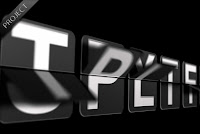
Mattias Peresini of the pleasant French AE website mattrunks has done his first English tutorial for AETUTS. Create a Split-Flap Type Display helps you build "displays that are found in train stations and airports, where they typically display departure and/or arrival information and do that cool flipping of letters to display the new information. This tutorial does not show how to create the effect from scratch but instead it is a tutorial to explain how to use the example project file."
Update: see also Flipside Clock by Brandon Smith, which also creates an old school style of a flip clock using Digieffects Buena Depth Cue v2 Flipside:
FxFactory is offering a complimentary Ken Burns-style Pan & Zoom plug-in that requires no keyframing. Pan and Zoom is available immediately for Final Cut Pro 6, Motion 3, Final Cut Express 4, Adobe After Effects CS3 and CS4 running on Mac OS X. The Pan and Zoom plug-ins require the latest freeFxFactory engine for Leopard.
There's now an After Effects version of ImageFlow (Mac OS X only), a tool for creating photo montages and slideshows from folders of images directly from the timeline. ImageFlow can save some users hours from manually animating still images.
Also, two of the plug-ins are free to keep if you install the demo version; both "Continuous Random Pan" and "Image Filmstrip" do not have any expiration or watermark. Full details are at Coremelt's website.
CoreMelt plans to demo at NAB with partner Noise Industries at the Plug-in Pavillion, booth SL2128H.
iPhoto provides an easy way (exporting a slideshow) to make a movie with the Ken Burns effect on a ton of pictures. Adobe has nothing like it as far as I can tell -- unless you're making a DVD then Encore has a slideshow feature.
Now, there's a new FxPlug filter that does something similar, though besides a few transitions I can't tell right now what Image Flow FX has over iPhoto, and it might be missing features. For more check out The Editblog's review of Image Flow Fx.
Regina McCombs has a basic but thoughtful post on Poynter Online:
Meaning in Motion: Ken Burns and His 'Effect'
Zooms, tilts and pans can enhance impact or induce illness. The master of movement on still photos offers insight on managing multimedia.
Update: see also interviews and more in The Ken Burns Effect — and beyond. Here's some history from Donald S. Berman on FinalCutPro-L (10-5-2011),
'Ken Burns "developed" the effect named after him with Ed Joyce and Ed Searle of the Frame Shop, located at that time in Watertown, MA. Burns used to hang around our edit rooms learning how to handle large quantities of documentary footage. Joyce had spun off from Education Development Center when its film operation closed down. Joyce and Searle had set up an Oxberry and also had developed motion graphics techniques with computer controlled cameras. ... Ken got the credit and, eventually, the Frame Shop went bust and there are only a very few of us around to tell the tale.'
Here's some more from others in that thread:
Before The Civil War, who thought a crazy-long documentary composed of talking heads and old photographs would draw and hold such a large audience?
---- He didn't invent moves on stills but as far as I know, until Burns, no one made a 9 episode, 10 hour series that was so dependent on them nor was anyone willing to linger on a specific still for the length of time Burns and his creative team employed.
I admire that he trusted that if viewers were given the right context and the opportunity to actually look at photographs and documents (without white flashes, snap zooms, swish pans, elaborate photoshopping/AE work, or even their replacement with "reenactments") the stills would sustain the viewers' interest. In my experience, most of the time, stills are seen as the thing you stick in when you don't have footage to avoid having nothing on the screen or a jumpcut.
 Adobe has a new tutorial for Premiere, Dynamic Slide Shows (embedded below). It's useful for the most part for setting up the "Ken Burns effect," but undersells Premiere a bit by ignoring drifting issues with changing position and scale that are solved by using the Anchor Point property instead of Postion (in both AE and Premiere).