April 28, 2007
Adventures in Infographics
John Nack posts another link extravaganza with Adventures in Infographics. I liked Maps of War's Imperial History of the Middle East even if it is very basic.

Basic Freelancing
The Edit Blog also notes Flippant News' Deal Memo. Flippant also posts on various aspects of freelancing, noting yet another blog Common Mistakes to Avoid When Freelancing and How to Start and Succeed in a Freelancing Career.
Update: follow The Edit Blog's continuing interest in freelancing in posts on FreelanceSwitch and Larry Jordan.
Update: follow The Edit Blog's continuing interest in freelancing in posts on FreelanceSwitch and Larry Jordan.

April 26, 2007
P2 & Premiere CS3
 Giles Baker, Adobe's product manager for Premiere Pro, defended Premiere development on the CS3 preview forum by clarifying the improvements made in CS3. A popular topic has been the lack of native Panasonic P2 support, to which Baker responded with hopeful news:
"I agree that P2 support is probably our highest priority. We’re working on it, and I hope you don’t have to wait until 2008 to see the fruits of our labor...XDCAM is definitely important, and Sony is making some interesting moves with their move to solid state. We plan to be there for that format too. But P2 is definitely higher priority."
Hullfish on Color
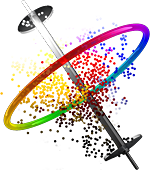 Steve Hullfish, author of Color Correction for Digital Video, explains his new book where the focus seems to shift from Color Finesse to Color. From the Telecine Internet Group:
"At the risk of making a commercial plug for my own upcoming product, I recently toted FinalTouch around the country to 12 of the top colorists that I could find who would take part in a little experiment. I am writing a book on color correction and at the time, FinalTouch seemed like the cheapest and easiest solution for presenting a semi-da Vinci-like color corrector using the same footage to all 12 colorists. I didn't want to use da Vinci itself because as I wrote the book, I needed to have access to the screen grabs and specific color correction data that the colorists created in their sessions.
The concept of the book is to show how 12 different colorists approach the exact same images. It's a very interesting study. Some images diverged widely from colorist to colorist. Others took the image to the same basic place, but through different routes. All of the colorists that I did sessions with were da Vinci colorists with the exception of one Nucoda colorist (who has also had plenty of da Vinci experience.) All 12 colorists sat down at the system with little training and were able to accomplish fairly sophisticated grades including secondary work. All 12 colorists certainly had complaints about the system and had requests for certain da Vinci-like tools. Some were a little frustrated by the workflow, but all were able to do their work quite successfully and creatively. It is definitely NOT a da Vinci killer." ...more at [Tig] color
Real 3D, an AE filter
 Toolfarm noted a new AE filter from Avidion Media: Real 3D. It's Windows only for now, though the same company's filter Synchronize, which allows you to "synchronize your audio with any aspect of...your project," has a free beta of the Mac version. I'm not sure how it's different from SoundKeys or AE's built-in ability.
Real 3D seems to have been secret since 2-26-07 until it appeared on Download.com and Toolfarm. It "allows you to bend, twist, and shatter your layers in 3D space as well as render them as a grid, surface, spheres, or solids. Also, by using Real3D's unique layer driver, you can simulate other effects within 3D space, including flags and newsprint effects.Features: Bend, twist, and shatter your AE layers, fully integrates into you AE environment including cameras and lighting, supports depth of field and motion blur, fog and material options give even more realism to your AE compositions, and use of Real3D's layer driver allows you to create newsprint effects and 3D flags as well as a variety of other looks." There's web movies explaining some of these features, including basics and volumetric lighting. Toolfarm has additional video examples that are interesting.
Transforming Scale
Image transforms like scaling and rotation can degrade images, and involve trade-offs between artifacts like aliasing, blockies, blurring, edge halos, ringing, and moire. Background on image transform can be found at Cambridge in Colour's Understanding Digital Image Interpolation, Optimizing Digital Photo Enlargement, and A Closer Look at Resizing an Image for the Web & Email.
FxGuide posted a comparison of transforms in hi-end apps (including AE) and concluded there is no single magic bullet to automagically improve quality for every image, or a single approach for every app. It does help to use high quality scaling and deinterlace algorithms, pre- and post-process with blur (when scaling down) and sharpen (when enlarging) filters, and deartifact or denoise with a specialized filter (or with AE Remove Grain or by brute force with a Median filter). You're on your own when animating slowly from 98% to 102%!
Some applications take scaling quality seriously, though many desktop editing and compression software does not. AE uses simple bilinear interpolation, or a weighted box filter, even at Best Quality. Applications that use bicubic interpolation and variants include Photoshop, Commotion, Shake, or Combustion. The semi-official workaround, AE's Magnify filter, is not a solution, although some filters that scale may use high quality algorithms. Note that resampling in AE when there's no geometric transform is due to subpixel positioning. You can avoid this by positioning layers in 1 pixel increments.
You can access different scaling algorithms inside AE by using Resizer from Digital Anarchy. ReSizer also has a deinterlacer that uses motion estimation. Check out DA's before-and-after mug shots, though they don't compare results with the better algorithms in Photoshop.

Other AE filters that offer transform and enhancement features include Algolith, Topaz Enhance, and others by RE:Vision Effects or Red Giant Software. Debabelizer ("Sharp Sine" scaling on non-interlaced footage), IrfanView, and Satori Paint are also said to be good. Fractal-based PS plug-ins like Genuine Fractals (better with flat colors or clean images), PhotoZoom Pro or Pxl SmartScale sometimes work well. Digital photographers have investigated different methods that may be better than the fractal filters -- see the solutions from Fred Miranda (FM Stair Interpolation, Resize Pro) and tests from Roger Cavanagh.
FxGuide posted a comparison of transforms in hi-end apps (including AE) and concluded there is no single magic bullet to automagically improve quality for every image, or a single approach for every app. It does help to use high quality scaling and deinterlace algorithms, pre- and post-process with blur (when scaling down) and sharpen (when enlarging) filters, and deartifact or denoise with a specialized filter (or with AE Remove Grain or by brute force with a Median filter). You're on your own when animating slowly from 98% to 102%!
Some applications take scaling quality seriously, though many desktop editing and compression software does not. AE uses simple bilinear interpolation, or a weighted box filter, even at Best Quality. Applications that use bicubic interpolation and variants include Photoshop, Commotion, Shake, or Combustion. The semi-official workaround, AE's Magnify filter, is not a solution, although some filters that scale may use high quality algorithms. Note that resampling in AE when there's no geometric transform is due to subpixel positioning. You can avoid this by positioning layers in 1 pixel increments.
You can access different scaling algorithms inside AE by using Resizer from Digital Anarchy. ReSizer also has a deinterlacer that uses motion estimation. Check out DA's before-and-after mug shots, though they don't compare results with the better algorithms in Photoshop.
Subscribe to:
Posts (Atom)