
Showing posts sorted by date for query Mark Christiansen. Sort by relevance Show all posts
Showing posts sorted by date for query Mark Christiansen. Sort by relevance Show all posts
March 1, 2013
Book Note: ‘Adobe After Effects CS6 Visual Effects and Compositing Studio Techniques’
The latest edition of Mark Christiansen's 450-page whirlwind tour of the art of compositing and VFX using After Effects is discussed at PVC.

April 22, 2012
Recently in After Effects
Note: the roundup is replicated here as a backup...
Here’s another summary of the last few weeks or so of news on After Effects— this time CS6 dominates, but there were still new scripts and a plug-in, and assorted tutorials.
AEMap from AE Scripts "creates equirectangular projection maps with 286 separate countries (masks on solids) under 177 jurisdictions (pre-comps). It comes with the 'AEMap Utilities' which contains tools for dealing with a bunch of layers and nested comps." The elements are "continuously rasterized" so they may work in CS6 extrusion and ray-tracing.
cm_Barndoors, new from AE Scripts, lets you "apply a set of barndoors to existing lights, or create a new light with barndoors attached. Each set of barndoors gets a Grip layer that gives you control over each barndoor’s rotation, the entire barndoor assembly rotation and the softness of the barndoor shadows."
Dark Energy for Adobe After Effects is a new Windows-only plug-in that features de-noise and film simulation modules for images up to 1920×1080. It's sold now at a pre-release pricing. Some of these features, leveraged using Nvidia GPUs, are available in the plug-in:
Paul Conigliaro posted Kill AE, an extension for Alfred app users on OS X; it's similar to other utilities like AE Suicide-After Effects Crash Recovery, ToeJam, and the OS X Terminal method described by Mark Christiansen that saves the project even when AE is frozen.
James Zanoni shows background and multiple machine rendering with AERender, droplet for OS X, in Terminal (command line on the Mac) in After Effects. In reality, that droplet just uses aerender, the executable program in the same folder as the After Effects app that has a command-line interface with which you can automate rendering. You can find details in Automating rendering with aerender in AE Help, and in Background rendering with After Effects . If you want an interface that leverages aerender, see BG Renderer, a script with UI at AE Scripts. Here's James Zanoni:
Trent Armstrong posted an article called Auto-Typing for Expressions, which discusses how he uses auto-typing apps to store and access commonly used expressions. In an article at .net.com, Kinetic typography techniqueswith After Effects, Angie Taylor shows how to use Photoshop and Adobe After Effects for kinetic typography - combining text and motion to express ideas in the form of animation. For background, see Kinetic typography as storytelling; here's the intro for Angie's series on the subject:
In An A to Z of Building Projections - Part 2, Chris Zwar "takes a detailed look at the After Effects workflow used to create the animations for the Melbourne projections, and how the ZBorn Toy and Freeform plug-ins were used." Here's the performance itself:
In a recent trailer for Ridley Scott’s new film Prometheus, we got a peak of some laser-like sweeper technology; now in Episode 76: Promethe-esque Security Sweeper, Seth Worley shows you how to create your own:
EditingWhiz posted Fixing Bad Chroma Key Using Colorista 2:
VinhSon Nguyen posted Planet Space Scene in After Effects and Understanding & Creating Bevels Using ShapeShifter for After Effects on CreativeDojo:
Automatic Lip Synch Of Cartoon Mouths (Papagayo to After Effects) " is a short video to demonstrate the new Adobe After Effects javascript... This javascript reads the MOHO.dat file format, generated by the open source Papagayo software." Another approach by iaian7 using Papagayo was mentioned earlier in the roundup Lip Sync in After Effects. Atom on Vimeo describes his new script:
Quick Tip – Using A Delay Expression by Matas Zaloga "shows how to animate multiple layers by using expressions":
The new features of After Effects CS6 (ships with same version as AE CS 5.5) also include changes concerning mocha, disabling launching Mocha from AE. Mamoworld details the advantages of using MochaImport+ in MochaImport+ and CS6. Here's the basics of this recently updated script:
Creative Suite 6 up to launch
Adobe has announced almost all of CS6 Production Premium (except for Illustrator), and there's a boatload of previews and other resources on the product reveal page for NAB. The full story will be unveiled on Monday April 23 at the Adobe Creative Cloud and Creative Suite 6 Launch.
As usual, Todd Kopriva has detailed "what’s new and changed" for the CS6 versions of After Effects (Global Performance Cache, 3D Camera Tracker, ray-traced extruded text and shapes, variable-width mask feather, new Cycore (CC) effects + more) and Premiere (revised UI & trimming, OpenCL, monitoring, extended multi-cam + more). Colin Stefani did the same for Audition. Photoshop CS6 resources were covered earlier in Photoshop CS6: public beta resources.
You can continue to look to Adobe blogs and AdobeTV for further feature summaries and links to new tutorials. Among many reviews, see particularly the in-depth After Effects CS6 (P)Review by Chris and Trish Meyer.
Here's a few good overviews of the new offerings, including A Deep Dive into What's New in After Effects CS6 with AE product manager Steve Forde, a nice quick look of new stuff in AE from Angie Taylor, Adobe Production Premium CS6 by Jon Carr from the team of Vincent Laforet, and Adobe Premiere CS6 New Features from FreshDV:
Essential in-depth videos are already available at Video2brain (free) and at Lynda.com (check out the free 7-day trial for fans of Chris and Trish Meyer). Here are some samples: After Effects CS6 New Features by Chris Meyer:
After Effects CS6: New Features Workshop by Todd Kopriva
Premiere Pro CS6 New Features by Richard Harrington
Premiere Pro CS6: New Features Workshop by Todd Kopriva
Nvidia posted a cluster of web pages and demo movies on CS6 acceleration. They want to sell the better graphics cards, but like CUDA and Premiere (which added support for certain OpenCL cards on the Mac), After Effects lets you edit the ray-trace supported preference file to test unsupported setups. Another source of acceleration could be Fusion ioFX, a PCI-type card that extends RAM instead of speeding the disk subsystem like SSD, which could complement AE's new cache system [as could Intel’s SSD 910; see Finally a PCIe SSD from Intel]. For more on that see Steve Forde's Steve, Rob, Vince and Me and some event highlights, plus a good talk with Fxguide (at 1:06:00):
In another development, former AE product manager Michael Coleman @motiongfx (now product manager for Video Editing Workflows) is working on a new product or feature which was demoed at NAB: "Our collaborative editing demo shows two people in two cities editing the same 1080p footage without proxies file transfers." See also Levels Beyond Extends Functionality of its Reach Engine Solution with Adobe Premiere Pro Software for Highly Efficient Content Management on a plug-in, called Reach Engine Access, is compatible with Premiere CS5.5 and CS6.
There's also a growing number of other great tutorials and reviews that were listed AE CS6 and Production Premium Revealed [updated] when you want to dig deeper. Here's few with unique video: MotionBoutique shared several experiments with Newton's physics and the ray tracer in AE CS6:
Peter Salvia and Steve Crouch introduce SpeedGrade CS6 in FCProse Ep6 - FCP to SpeedGrade via Premiere CS6 (from Red Scarlet at 4K, transcoded to ProRes LT and cut in FCP 7, to conforming to native RAW .R3D material inside of SpeedGrade CS6 for a full 4K DI finish). Also below is a nice interview with the Speedgrade team by Fxguide.
Adobe's Ron Day posted several articles like Adobe Audition CS6 Multitrack Enhancements and Audio CD Burning in Adobe Audition CS6. Here's the sneak peek Automatic speech alignment in Audition CS6):
Adobe's Dave Helmly added Intro to Premiere Pro, Prelude, and Encore CS6 & Mercury Transmit I/O
Here's more that were posted before the official launch:
- Motionworks posted New 3D Features in CS6 and CS6 3D Material Template
- Eran Stern has tutorials on 3D Environment, Shapes & Illustrator, variable-width Mask Feather
- Maltaannon explains After Effects CS6 - 3D Camera Tracking
- Kevin McAuliffe dropped Introducing After Effects CS6 - Extruded Text and Shapes
- Felt Tips has a video on his favorite features and another one just on the new caching system in AE
- Each release can't cover all bases, so there's still mixed feelings for some AE users who recall older feature requests blogs.
- Josh Weiss has 9 tutorials or so at Retooled.net for both After Effects and Premiere Pro CS6
- At Sectionone, Julio Roa shows the now unlimited Multicam In Premiere Pro CS6
- Scott Simmons considers My top 5 (or so) Adobe Premiere Pro CS6 features
- The Edit Doctor has several insights on what he likes in Premiering Adobe Premiere
- David Basulto shares his screen for Premiere Pro CS6 What's New
- Check out the short interview Philip Bloom tests Adobe Premiere Pro CS6 by Todd Kopriva
- Gary Adcock really likes Speedgrade CS6 - "...truely Native support for raw camera formats, not just RED's R3D, but how about working in native ARRIRAW ( with presets included) from Alexa directly in PPro, and oh yeah, the app that made use of all of that power is now also part of the CS6 Suite of Tools. Speedgrade is here, maybe not for everyone, but certainly for this user, I am glad it is back."
- Digital Convergence Podcast Episode 69 talks about SpeedGrade CS6 and other new stuff from NAB 2012
- Tim Siglin goes hands-on with Adobe's ingest and simple transcoding tool in Adobe Prelude: A Symphony of Pre-Event Options
- Oliver Peters posted Adobe Creative Suite 6 - First Look
- See the FreshDV NAB 2012 Video Coverage Playlist on PVC
- @DPBuZZ has audio with Al Mooney and Steve Forde on Production Premium CS6 and Sean Safreed and Andrew Little & Aharon Rabinowitz of Red Giant
- Digital Cinema Society and Studio Daily added a video interview, Adobe’s Ellen Wixted on CS6 Production Premium
- Richard Harrington discussed the future of Adobe Video with Bill Roberts the Director of Video Product Management for Adobe, as does Post mag
- Overdigital shared Flash-oriented news from NAB in Project Primetime, Protected Mobile Streaming, MPEG-Dash and More (see also Overdigital's 3D Workflow Demo – Lightwave3D to Away3D to AIR 3.2 for iOS)
March 29, 2011
After Effects A-Z: Brightness & Contrast

Beyond that we can note that in Photoshop, Brightness & Contrast is much improved, though those improvements haven't trickled down to Afters Effects and Premiere. In AE the effect even seems different than the Legacy option in Photoshop, thought it hardly matters since you're better off with Levels or Curves anyway. For a good illustrative look at limitations (using the waveform levels monitor in Premiere), see Color Correction 1: Brightness & Contrast by Andrew Devis.
For an in-depth intro to controlling color in AE with the standard Adobe tools, see Adobe After Effects CS5 Visual Effects and Compositing Studio Techniques by Mark Christiansen. It's really the best place to learn how to use these tools in AE, and builds the foundations for mastering procedural mattes for compositing.
If you need a free option, happily there's videos at Lynda.com from Photoshop CS4 One-on-One: Advanced by Deke McClelland, with a whole section that covers the basics of Level, Curves, and related effects in detail. See also the free infographics Levels Quick Reference Guide (thanks for the picture) and Curves Quick Reference Guide by John Dickinson, as well as some useful tutorials at Cambridge in Colour.
To go a bit deeper see AE Portal references Waveform, vectorscope, and basic color correction and White balance + more with Color Finesse.
March 12, 2011
Blurs: Effects A-Z & Beyond

Host John Dickinson leverages A Tale of Three Blurs, a Prolost article from 2006, to illustrate the key differences between Box Blur, Fast Blur, and Gaussian Blur.
Here's a few more resources to explore blurs further:
- Chris and Trish Meyer have 17 movies on feature pro & cons of the Blur filter category in their Lynda.com series After Effects: Insight into Effects. Lynda.com has various free trial offers if you want to dig in.
- Motionworks previously posted on the Bilateral Blur filter, with guest host Eran Stern demonstrating Bilateral Blur.
- AE Help, of course, and posts tagged blur on AE Portal, where you can also survey previous tutorials in the A-Z series.
- Premiere actually has a Convolution Kernel effect with a 3x3 matrix if you miss KPT Convolver and want to roll your own blur, emboss, sharpen, etc.
- See FreshDV for Specular Highlights and Bokeh Primer(s). Andrew Kramer fanatics already know about the Lens Blur filter from the old tutorial 15. 2D Depth of Field. Virtual Cinematography in After Effects 7.0 is an excerpt on some blurs from the great book on AE by Mark Christiansen.
- Less exact than Motionworks' quicktip but branching to other territory is Blur 100: Introduction to Blurs, a video by Vfx Hauiku. He doesn't talk about Frischluft Lenscare, an AE filter used by many power users, but he does discuss related filters in Eyeon Fusion (see the AEtuts intro).
Blur 100: Introduction to Blurs from Kert Gartner on Vimeo.
January 31, 2011
Optimizing for performance for Premiere Pro & After Effects
 Adobe's Todd Kopriva posted the link to a recording of the recent webinar on optimizing for performance for Premiere Pro & After Effects.
Todd also provides addition links to relevant resources supporting this wide-ranging update to performance tweaking. He says "The most comprehensive place to find information on improving performance in After Effects is the Improving performance page in After Effects Help. Much of what is listed above can also be found there, plus much more."
Of particular interest for Final Cut users is this from AE Help:
RAM Reserved For Other Applications Increase this value to leave more RAM available for the operating system and for applications other than After Effects and the application with which it shares a memory pool. (See Memory pool shared between After Effects, Premiere Pro, Encore, and Adobe Media Encoder.) If you know that you will be using a specific application along with After Effects, check its system requirements and set this value to at least the minimum amount of RAM required for that application. Because performance is best when adequate memory is left for the operating system, you can’t set this value below a minimum baseline value.
Note: Additional project considerations were discussed by Mark Christiansen in How to Optimize Projects in After Effects CS5.
Update: via @AdobeAE, not exactly related but good for reference is a thread on the Adobe Forums, What PC to build?.
January 30, 2011
Blending Modes: CMG Hidden Gems + more
 Chris & Trish Meyer's series of tips, tricks, gotchas, factoids, and shortcuts continues with tips on layers in CMG Hidden Gems: Chapter 9 – Blending Modes.
This edition has a video tip on tinting with solids or gradients and modes.
There's other details on blending modes in AE Help: Work with layer blending modes and Exclude channels from blending, and via the AE team from Motionworks, Blend Modes on Collapsed Layers. And there's additional resources of course:
- Tutorials for Photoshop with good info on modes are numerous. Deke’s Photoshop Top 40, Feature #11: Opacity and Blend Modes (a video overview) is good, and Mastering Photoshop’s Blending Modes by Richard Harrington is succinct (there are others also on Tip Squirrel). Also, Adobe's Julieanne Kost had a series of recent posts on blend modes in Photoshop.
- Chris Meyer also looked at Blend Modes in Adobe Premiere Pro and earlier, Composite Modes in Final Cut Pro.
- Mark Christiansen has a tip on Linear Blending at Any Color Depth in After Effects.
- Subtract and Divide blend modes were added to After Effects CS5; Todd Kopriva noted related tutorials. Ben Rollason showed how to emulate these modes in AE CS4 in Subtract and Divide Blending Modes in AE CS4.
- Here's a sample tutorial on blending modes from After Effects CS5: Learn by Video by Angie Taylor and Todd Kopriva, courtesy of Peachpit (this embed behaves better on Firefox than Chrome):
January 8, 2011
Waveform, vectorscope, and basic color correction

 Andrew Devis has series of newer tutorials on color in After Effects and Premiere. Here are the ones for AE:
- Primary Color Correction in After Effects
- Secondary Color Correction in After Effects
- The Vectorscope in After Effects
- [later] Waveform Monitors in After Effects
By the way, there are 2 other 3rd party plug-ins that provide good monitoring in AE (not in a modal dialog box), Synthetic Aperture Test Gear and Metadma ScopoGigio.
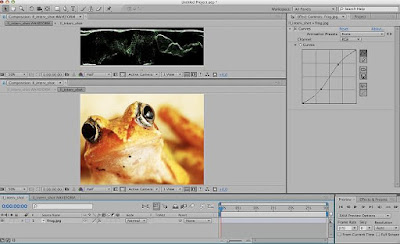
An interesting free Pixel Bender filter was posted on Video Copilot last year, Waveform Monitor by Peter Werner, shown below.
December 20, 2010
The render pipeline in After Effects
 Raymond Radet has written a handy new tutorial for AEtuts, Understanding The Render Order In After Effects, which introduces the rendering pipeline with links to more on AE Help.
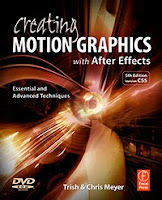 The rendering pipeline is a lot more complicated now than Masks > Effects > Geometric PARTS, and it can no longer be visualized with a simple graphic. If you're looking for more, buy into Creating Motion Graphics in After Effects because you won’t see more clarity and graphic detail elsewhere (eyes glaze over at text-heavy resources like AE Help). See also How to Optimize Projects in Adobe After Effects CS5 or (CS4: Optimize the Pipeline), a project-oriented excerpt from Mark Christiansen's book.
Todd Kopriva has a newer video tutorial that's a good intro to the other pieces, Standard Render Order and the Transform Effect:
December 19, 2010
Toward realistic explosions in After Effects + bang!
BlueCast Studios posted a tutorial on YouTube, Realistic Explosions (but really, pedestrians in San Francisco aren't that jaded).
 Note: There are a number of stock footage resources that have footage. Video Copilot has a stock/training DVD Action Essentials 2 (see the compositing demo), and Forging Fire posted about free stock footage from Detonation Films in Free Explosions - Fire - Missile - Decapitation Footage.
 Steve Holmes has several tutorials on integrating fire and smoke into environments in his Artbeats videos. Todd Kopriva summarizes these in a kind of course outline in Steve Holmes Artbeats podcast.
 Also, Mark Christiansen's book After Effects Studio Techniques explores best practices of common creative VFX tasks, including those involving light, environment matching, heat, and explosions. One of the chapters is free on the Peachpit Press website: Pyrotechnics: Creating Fire, Explosions, and Energy Phenomena in After Effects. See especially his advice on modes and luma mattes.
 Update: The CGSociety was digging through its vault and goes back to 2005 for the basics with a study of the anatomy of the explosion by Kieron Helsdon; see BANG! The Anatomy of Explosions.
Update: see also Mind-Blowing Movie Explosions Explained from Reactions and
a Tuts+ course on the topic, Smoke, Fire and Explosions in Adobe After Effects with Christopher Kenworthy.

This one is good for those just learning After Effects (you know who you are), who might follow Todd's sage advice: "the best place to start is at the beginning." If you're at the beginning, try these then some of these and maybe these; then see Andrew Kramer's explosion compositing demo and his explosion tutorials).
Advice is not too different for those wanting to learn faking fire, gun fire, muzzle flashes, and so forth; see Fire in After Effects, Realistic Muzzle Flare Tutorial and Muzzle flash tutorials in After Effects.
 Note: There are a number of stock footage resources that have footage. Video Copilot has a stock/training DVD Action Essentials 2 (see the compositing demo), and Forging Fire posted about free stock footage from Detonation Films in Free Explosions - Fire - Missile - Decapitation Footage.Steve Holmes has several tutorials on integrating fire and smoke into environments in his Artbeats videos. Todd Kopriva summarizes these in a kind of course outline in Steve Holmes Artbeats podcast.Also, Mark Christiansen's book After Effects Studio Techniques explores best practices of common creative VFX tasks, including those involving light, environment matching, heat, and explosions. One of the chapters is free on the Peachpit Press website: Pyrotechnics: Creating Fire, Explosions, and Energy Phenomena in After Effects. See especially his advice on modes and luma mattes.Update: The CGSociety was digging through its vault and goes back to 2005 for the basics with a study of the anatomy of the explosion by Kieron Helsdon; see BANG! The Anatomy of Explosions.
Update: see also Mind-Blowing Movie Explosions Explained from Reactions and
a Tuts+ course on the topic, Smoke, Fire and Explosions in Adobe After Effects with Christopher Kenworthy.
December 13, 2010
Setting Up After Effects for Optimum Performance
@AdobeAE notes a Learn by Video tutorial (embedded below) about setting up After Effects CS5 for optimum performance. It's more detailed than the previous free FAQ video (also from Todd Kopriva), but not sure here how it differs from other recent blog, Adobe FAQ, and forum guidance noted previously in AE CS5 memory settings & feedback.
A favorite Todd Kopriva quote is, "Because compositions and computer systems vary greatly, there is no one right answer to this question."
Additional project considerations were discussed by Mark Christiansen in How to Optimize Projects in After Effects CS5. Here's Setting Up After Effects for Optimum Performance with 64-Bit Systems by Todd Kopriva:
December 8, 2010
Separating elements in AE with Mocha
 Andrew Devis has a new After Effects tutorial video, Separating Elements using Mocha 2 Tracking:
"In this video tutorial Andrew Devis will show you how to separate out different elements in your footage to layers so that you can apply color correction or effects in completely different ways on each layer for that unique look you're looking for. Firstly, Andrew will show you how hard it is to separate elements natively using AE native tracker and then how easy it is to do using Mocha 2 tracking for AE."
Using Mocha and CS5 also seems much easier than experimenting with the TrackerViz (tips by Mark Christiansen and Sean Kennedy) or Tracker2Mask scripts.
December 4, 2010
Remove noise and grain in AE

Andrew Devis has a new tutorial, Neat Video: Removing Noise and Grain from your Footage, which shows:
This is done by profiling the noise properties in an area of a video frame without visible features. Once the noise has been profiled, Neat Video is guided by this profile to reduce and eliminate noise while not touching the video details. Although mostly automatic, Neat Video still leaves you with total control over the amount of filtering you apply and even offers optional sharpening (without sharpening the noise) should you wish it."
There isn't a definitive algorithm for universal use, so there are a number of other noise filters available, like the Remove Grain effect and other Noise & Grain effects built into After Effects (see video below by Matthew Borgatti), and RE:Vision Effects DE:Noise (which uses sensitive spatial filtering along with time-based optical flow methods), Magic Bullet Denoiser, PHYX Cleaner (Fxplug), Innobits Video Purifier (Mac app), and so forth -- along with Median filters, Digital Anarchy Beauty Box, Revision FX SmoothKit, and similar.
Additional resources can be found in the AE Help links above and in Noise reduction before color correction: MB Denoiser review, Noise reduction in AE (Neat Video on AdobeTV by Jason Levine), Grain Matching on new PVC channel, nice sections of After Effects Studio Techniques by Mark Christiansen (review), and other items from AEP.
Here's Matthew Borgatti on Noise Reduction and Boosting Found Footage using Remove Grain with color correction and some color replacement on artifacts:
Update: No Film School notes a Vimeo comparison of Neat and MB DeNoiser,
@freshdv RTs "@lettershome: Quality wise 5dtoRGB blows doors off Grinder, Compressor and Mpeg Streamclip...and its free for now."
Later there was an update, found in Rebel's Guide on your iPad or Kindle, DV Rebel Tools For Free; here's the support video:
DV Rebel Tools Free for After Effects CS5 from Stu Maschwitz on Vimeo.
And much later, a course "Fixing Video Exposure Problems in Premiere Pro" on Lynda, which contains "Removing grain with After Effects."
December 3, 2010
A few quick tips for After Effects
 Topher Welsh posted Quick Tips and Hints Inside of After Effects on AEtuts, which has contributions in comments with more tips and shortcuts.
See also Keyboard shortcuts you (maybe) don't use for a video and mini-roundup of other resources. Some of Mark Christiansen's 30 tips in 30 days PVC series from 2009 are noted in Christiansen's April AE tips so far.
November 20, 2010
Profiles and color management in AE

Andrew Devis has a new After Effects tutorial video, The AE Color Space, which looks at some basics for color management:
"You spend a lot of time making sure your project looks just right, but if you don't embed a colour profile into your final output, then you have no control over how that precious project will look on other machines and devices! In this After Effects video tutorial, Andrew Devis explains how this works and shows how to set up a colour profile for your project; and then how to embed it into your output so that you can be sure all your hard work will be properly represented on other devices."
 For more on color management, see many pages in AE Help starting at Color, books like Mark Christiansen's After Effects Studio Techniques and Creating Motion Graphics with After Effects by Chris & Trish Meyer, and these previous AEP posts:
- Color Management in a CG workflow (Johan Steen discussing "how to calibrate and profile your display and then how to configure and setup your 2D, 3D and post processing applications for a color managed workflow.")
- Introducing Color Management in AE (Trish and Chris Meyer first explain it)
- More help on color management (Todd Kopriva post & Adobe Whitepaper)
- Understanding linear workflow in After Effects (AEtuts video, and links to float torchbearer Stu Maschwitz and others)
- Color space in Premiere ("space" more broadly in various articles by Karl Soule), and [later] the color theory articles at Colorgrader.net.
November 19, 2010
Blend modes in Premiere Pro & beyond
 Chris Meyer looks at Blend Modes in Adobe Premiere Pro. Layer composite modes were added in Premiere CS4, though forever a feature in FCP where layer dupes and mode changes sometimes served as quick & dirty color correction or a soft focus look (with a blur on the top layer). See also Chris' older Composite Modes in Final Cut Pro.
For more, see Blending modes and layer styles in AE Help, AEP posts tagged blend modes, and The Pass Through Blend Mode and others in a series of recent posts on blend modes in Photoshop by Adobe's Julieanne Kost.
There's in-depth treatment of concepts behind blending modes in various Adobe docs, but good practical in-depth info can be found in handy books like Mark Christiansen's Adobe After Effects CS5 Visual Effects and Compositing Studio Techniques and Creating Motion Graphics with After Effects by Chris & Trish Meyer.
Update: Peachpit posted a sample tutorial on blending modes from After Effects CS5: Learn by Video; Todd Kopriva's description of the package was posted here earlier.
November 14, 2010
Mark Christiansen @ Apple Store: November 18
 @AdobeAE notes that Mark Christiansen will appear at the Apple Store in downtown San Francisco on Thursday November 18, 2010, 6:30-7:30 pm:
"Join Mark Christiansen, author of Adobe After Effects CS5 Visual Effects and Compositing Studio Techniques, as he discusses how the world has been changed by advances in visual effects and compositing. Not sure what a compositor does? Mark will demystify effects compositing and demonstrate why it's such a valuable craft."
It looks like Peachpit has a Book + eBook Bundle, which seems pretty handy.
November 11, 2010
How to Optimize Projects in After Effects CS5
Peachpit posted a chapter from Mark Christiansen's Adobe After Effects CS5 Visual Effects and Compositing Studio Techniques, How to Optimize Projects in Adobe After Effects CS5. Here's the intro:Sometimes you take the attitude of a master chef—you know what can be prepped and considered "done" before the guests are in the restaurant and it's time to assemble the pièce de résistance. At other times, you're more like a programmer, isolating and debugging elements of a project, even creating controlled tests to figure out how things are working. This chapter helps you both artistically and technically (as if it's possible to separate the two). Once you
- understand how to use multiple compositions
- know when to precomp (and when it's safe to avoid it)
- know how to optimize rendering time
you may find the After Effects experience closer to what you might consider "real time." This type of efficient rendering depends not only on optimized software and a speedy workstation, but on well-organized compositions and the ability to plan for bottlenecks and other complications.
Note: for performance-related info, see Todd Kopriva post, FAQ: What are the optimum memory settings for best performance in After Effects CS4 and CS5? (and the video version), which links to various help resources. Fav quote, "Because compositions and computer systems vary greatly, there is no one right answer to this question."
November 9, 2010
'Priori Incantatem' effect: Harry Potter wand duel
 AEtuts has a 3-part tutorial by Ben McEwan, Engage In A Harry Potter “Priori Incantatem” Duel. That's the wand energy duel effect; parts 1 and part 2 are up so far [part 3 added later].
Part 1 looks at "matchmoving our shot and using the data to create a 3D camera inside of After Effects, as well as starting to create the particle animation. Along the way, we’ll also go through a few quick tips on how to speed up workflow by using expressions to automate animation."
Part 2 explores "how lights work alongside Trapcode Particular to give us more control of the direction of the particles’ motion. We will finish off the animation of our particle effects, and create the beams of magic squirting out the end of the wands."
[update: Part 3 takes "a look at making the effects fit into the shot. We will make our particles glow and give them a bit of color, as well as adjusting brightness, matching grain and adding heat distortion. There are a lot of possibilities for extending the effects in this shot, I encourage you to explore these ideas further and leave a link in the comments section below."]
In addition to the “Priori Incantatem” effect, AETuts previously posted Create Harry Potter Titles by Robert Holtby and Creative Cow posted an After Effects tutorial by Michael Park on how to Create the Harry Potter lumos effect.
Beyond these, Andrew Kramer has several AE tutorials involving energy effects (for example 3D Light Casting), and Mark Christiansen's sample chapter Pyrotechnics: Creating Fire, Explosions, and Energy Phenomena in After Effects from his book After Effects Studio Techniques might be handy for further explorations.
October 27, 2010
Sharpen Depth of Field with One Click [updated]
 If you missed them, Digieffect released tutorials for its Depth plug-in awhile back. According to Mark Christiansen, Depth, a filter found in the old Buena Depth Cue package, "does just what the name implies, easily extracting 3D depth data for use with Digieffects plug-ins such as Camera Mapper, Atmosphere and Falloff Lighting ... I especially like it for lens effects that can use depth information to create beautiful cinematic bokeh blurs."
For other approaches, tutorials, and tools check out previous posts tagged focus and AE camera. For example, Mathew Fuller covers techniques for extracting depth from 2D still images in his video tutorial Advanced 2.5D Animation in AE.
Here are a few tutorials for Depth:
Vangogh Depth+Camera Mapper Tutorial from digieffects on Vimeo.
Update: see these also,
Update: see these also,
- Projection is an AE script that does camera mapping onto 3D planes in AE
- Camera Projection – After Effects from VFX Bro
- Camera Mapping in After Effects from Andrew Devis (below):
Subscribe to:
Posts (Atom)