If you missed them, Digieffect released tutorials for its Depth plug-in awhile back. According to Mark Christiansen, Depth, a filter found in the old Buena Depth Cue package, "does just what the name implies, easily extracting 3D depth data for use with Digieffects plug-ins such as Camera Mapper, Atmosphere and Falloff Lighting ... I especially like it for lens effects that can use depth information to create beautiful cinematic bokeh blurs."
For other approaches, tutorials, and tools check out previous posts tagged focus and AE camera. For example, Mathew Fuller covers techniques for extracting depth from 2D still images in his video tutorial Advanced 2.5D Animation in AE.
Michael Eggert of PixelphileTV posted a tutorial and free preset in After Effects Rack Focus (via Lester Banks):
"We take a look at how to add a digital rack focus to any existing footage. This will add production value to shots that were made on video cameras that don't have a shallow depth of field. You will also learn how to make your own custom presets.
iRack 1.0 is a Rack Focus preset for After Effects CS3/CS4/CS5. With this preset you can add the look of a professional focus pull to any existing footage."
For similar tutorials and tools check out previous posts tagged focus, blur, and AE camera.
Note: Very different approaches include the use of Lens Blur (a Video Copilot tutorial is just one of many) and related filters like the Sapphire RackDefocus effect, which defocuses using an iris shape convolution to simulate a real camera defocus,
In 3D from 2D Image Using Displacement Maps Tudor "Ted" Jelescu shows how to create 3D movement that rotates around the subject from a 2D image using displacement maps and the FreeForm filter in After Effects. He uses similar techniques and the same image as another recent Creative Cow tutorial, Advanced 2.5D Animation in AEby Mathew Fuller. It might be good to look at that one first.
Via @aescripts are reports of experiments in Plenoptic lens rendering by Adobe, which lets you change depth of field focus in post. It would be great in After Effects and video too, of course (go wish), though now there's only 1 shipping camera system, the Raytrix 4D lightfield camera.
Update: Mathew Fuller covers something similar, with techniques for extracting depth from 2D still images in his video tutorial Advanced 2.5D Animation in AE.
"In a recent tutorial Animating a Still, we used tracking data from a real hand-held camera to give our still image a natural look, as opposed to using a mathematical expression like the wiggle. This gave our footage a natural organic look that would be difficult to achieve with expressions.
Then I thought I would try a similar experiment utilizing a real optical rack focus. So I filmed a dark square while performing a real rack focus to see if I could extract the information inside of after effects to use with a 3D camera."
The Video Copilot community offered several alternatives in Comments to Andrew's post. Also, Maltaannon tweeted that it would be simpler with his CE PixelSampler -- if you have the time to install and explore it. Maltaannon leverages the sampleImage expression; it doesn't give you the read out on the screen, but it does return the color value, so you can link it to a text layer.
[update: on the AE-List David Torno explains why there may be problems with "Custom Effects" in CS5, "Maltaannon builds his Custom Effects usually involves a psuedo plugin via the "preseteffects.xml" file, like how I did my Handheld Camera script. I found out when trying to update my script that Adobe changed how those plugins are referenced in CS5. So the code syntax needs to be updated. I gave him a heads up when I found this, not sure if he's seen that yet or not though. It is fixable manually if you feel like diving into the code, but it's not for the faint of heart. "] For more on sampleImage, see posts by Dan Ebberts, by Todd Kopriva,sampleImage() is fun and More fun with sampleImage(): Ascii animation in After Effects from Creative Workflow Hacks, and info in Creating Motion Graphics (4th edition, Bonus Chapter 35B, page 48 under Sampling Colors; in CMG 5, it's in chapter 37B, page 49).
Andrew Kramer & company are really on a roll, taking Sure Target from a preset to an actual free plug-in. Sure Target 2.0 has auto-camera rigging and a bunch of other features like inertia, auto-focus, and camera roll. Check out the video tutorial and download project.
Also, check out the recent 3D AE scripts from AE Scripts, Trajectory and Multiplane, as well as other posts tagged AE camera.
Motion Control with After Effects is an episode of Bert Monroy's Revision3 show PixelPerfect, with Richard Harrington showing motion control in After Effects. He turns old photos turned into 3D scenes with Photoshop and After Effects, showing how to scale objects, view in different perspectives, use camera presets, control focus, and add custom shadows and lights.
Maltaannon is back again quick with Spot Focus, to "recreate the Edge Softness filter as seen in Red Giant Software’s amazing plugin – Magic Bullet Looks. Animate your focus area, change it’s width and softness, and save it as a preset for later use. Quick and easy."
And of course there's an example project and video tutorial.
In the latest edition of Digital Arts, Sam Hampton-Smith shows how to recreate the trendy tilt-shift lens effect in After Effects. Eventually this link will work, but for now you'll have to look at a hard copy: Fake the tilt-and-shift look using After Effects.
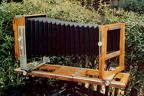
I'm sure a free AE tutorial will show up soon, but for now the outline re-described in the earlier post (and comments) Tilt-shift photography meme should do fine, if you have a soft touch on your gradient for the Lens Blur, Compound Blur or such filters. 2D Depth of Field, a 2006 video from VideoCoPilot, comes close but is missing something since it had other goals. According to a thread on the AE-List, further understanding can be gained by learning about view cameras, and by extension the Scheimpflug principle for changing the “plane of sharp focus.”
Update: Topher Welsh has a tutorial for AE, though it's not the first one:
John Nack has been posting items about Tilt-shift photography for a couple of years, and the meme has been hitting strong lately with application of the technique in video. Tilt-shift photography's miniturized scale model look and stop-motion feel is right at the point of cliché -- there's even a new iPhone app that creates tilt-shift photos which was reported today at Wired.
The New York Times has had a few items too, including a talking slideshow by Vincent Laforet (see picture at left), who has already moved on famously to DSLR video using the Canon 5D MKII. Others posting a stream of items on the trend include Wired and Boing Boing.
There's also a number of articles on Faking tilt-shift with Photoshop (the real thing even with a Lensbaby is not cheap). The basic approach is simple and can be done easily in After Effect or Premiere:
Update 01/06/09: Brian Maffitt adds a comment on the AE-List, "Trouble with a mask approach is that, while the blur looks good at the edge and the sharp area stays sharp, the intermediate blur is a cross-dissolved composite of blurred and non-blurred which looks "unnatural", especially at large blur amounts. I prefer using the "Depth Map Layer" in Lens Blur, which uses a separate gradient layer to modulate the blur effect based on pixel value. You'll have to fiddle a bit with focal distance and iris radius, but you can get a convincing Tilt-shift with this approach.
Compound Blur can do the same thing and renders more quickly, but without the ability to repeat edge pixels, and the blur is a slightly-less natural gaussian style, rather than the more accurate lens blur. If you use a ramp to create your gradient, make sure to precompose the effect or the blur filters won't see it."
In the same thread, Trish Meyer added a tip for changing the frame rate: "you'll render faster by putting the original movie in a precomp, lowering the frame rate, and turning on the Preserve Frame Frame option in Comp Settings Advanced."
Update 2: see Michael Vitti on selective focus in Comments.
FreshDV has made available a streaming/download video tutorial Understanding Depth of Field by Justin Snodgrass. It's a "20 minute video provides a detailed explanation of depth-of-field and the factors that affect it. This tutorial was designed specifically for filmmakers who use or are planning to use 35mm depth-of-field adapters."
FreshDV has an uncommon sort of interview with Bob Sanchez, a career First Assistant Camera man with 30 years of feature filmmaking experience. See FreshDV Film School: The Art of Pulling Focus (Part 2) for both parts.
Maltaannon video tutorials are back up and there's several interesting tutorials available besides Simple Object Removal. Maltanon sometimes uses its own CustomEffects, presets with expressions that look and behave like standard plugins -- and require a DLL install.
Covering some of the same ground is Photoshop Prep for 3D Animation (Photoshop but oriented for Motion 3) by Mark Spencer. Alan Shisko has a couple of video tutorials that explain basics of AE camera parenting and NTSC field order interpretation.
Brought to you by Peter Wiggins, author of the Volumetrix plug-ins for Final Cut Pro and Motion, idustrial revolution Freebie Pack 1 includes 4 free plug-ins that provide two-input 3D space with plane intersection, rack focus, live input on your timeline, and two-input parameter linking.
You'll need to install FxFactory by Noise Industries, which has other freebie filters for Apple and Avid.
 If you missed them, Digieffect released tutorials for its Depth plug-in awhile back. According to Mark Christiansen, Depth, a filter found in the old Buena Depth Cue package, "does just what the name implies, easily extracting 3D depth data for use with Digieffects plug-ins such as Camera Mapper, Atmosphere and Falloff Lighting ... I especially like it for lens effects that can use depth information to create beautiful cinematic bokeh blurs."