Showing posts sorted by date for query Hidden Gems. Sort by relevance Show all posts

May 27, 2011

Recently in After Effects (crossposted)

Posted last week on AEtuts+. AE Portal continues at PVC...

It has seemed oddly slow in the updated world of After Effects CS 5.5. One bright spot was recent word on Newton: a 2D physics engine for After Effects. But actually there has been much more -- a steady stream of new resources on AEtuts+, ProVideoCoalition, AdobeAE Facebook, and elsewhere.

Adobe is hosting the upcoming Adobe CS5.5 Production Premium Road Show in Los Angeles (June 2), San Francisco (June 14), and New York (June 21). There's also a free one-hour StudioDaily webinar, Power Workflows for Adobe Premiere Pro CS5.5 on May 26 with Premiere Pro product manager Al Mooney and Tyler Ginter. More relevant webinars are available from FilmmakingWebinars.

The Mac CS5 versions of Zaxwerks ProAnimator and 3D Invigorator are now shipping.

The Mac version of Freeform Pro was also delayed (problem with Apple's old ATI driver). But the Windows version is available (just as I migrate back to the Mac). There are a number of cool tutorials and presets already available, including the Folding Cube Preset by Mylenium. Tutorials include one now in 2 parts (and one more coming) by Tudor Jelescu on how to make 3D tunnels in AE using FreeForm Pro, and another by Ben Griggs on enfolding morphing 3D, Freeform Pro Gener8tor. Here's some example renders from the latter:


CMG Hidden Gems: Effects Roundup Bonus by Chris and Trish Meyer features 6 videos on some general concepts and specific effects. They added another today, CMG Hidden Gems: Chapter 24 – Compound Effects. Awhile back Shortformvideo noted in AE Quick Tip – Show animation presets that effect presets are hidden by default.

CS5.5 Warp Stabilizer stop motion on SinusDigitalus and After Effects Warp Stabilizer by Tysk älg are both good examples of using this new feature in CS 5.5. For more see Todd Kopriva's outline and especially Chris Meyer's movies.

Greenscreen Quick Tip Video Tutorial by 360 Media considers basics on hair. For more see Greenscreen & keying resources.

Eran Stern has some thoughts beyond EdgeHancer on Delictae Color Correction tools from Fixel.

What is a Look Up Table (LUT), Anyway? is a guest post on Nofilmschool.com by producer/colorist Jay Friesen.

AE Portal @ PVC featured surveys on "looks" in After Effects, recent AE scripts, new basic training sets, text animation, effect demos, moving After Effects plug-ins to CS5.5, and more.

Plexus, the newish After Effects plug-in from Satya Meka and AE Scripts, was revved with 8 new strong features. Here's the feature tour from Satya:


How to make a Cinemagraph with Photoshop and After Effects by Kert Gartner explains how to approach making a popular style of animated GIF.

In Red Giant QuickTip #44: Creating a Rocket Ship Trail of Letters Harry Frank guides you through the set-up and expressions required to emit a paragraph of letters from a moving After Effects layer with Trapcode Particular.

Red Giant QuickTip #41: Adding Life to Interview Footage by Aharon Rabinowitz shows you how to remove noise and add life to interview footage through color correction. The demo is in After Effects, but works for users of Final Cut Pro and Premiere Pro (you can substitute filters though perhaps with less favorable or timely results).

VFX on Deadline: Monsters GT and Sapphire for After Effects featuring Marshall Fontaine is a webinar recording from Genarts.

Imagineer Systems mocha for AE CS5.5 is available, See Motion Tracking for Final Cut: iPhone screen replacement using mocha AE and other tutorials, and more on tracking see the AE Portal archive. There's a still role for the tracking feature inside of After Effects, so check out Motion Tracking tutorial by Hakan Zscherpe.

Creating Kinetic Type and Camera Rigs in After Effects (in 3D space) by Lake Keene takes a swing at kinetic type.

3D Extrude Tutorial by Alexander Dohr is a quicktip and expression for creating 3D text in AE. For oodles of similar tutorials, see 3D Text in After Effects at Aetuts+.

Create a Procedural 3D Paint Splat Logo Animation in After Effects (AE 3D text) by Esko Ahonen for Rampant Design Tools can be seen below. See also SplatterType: splatter animations with just a few clicks.


Rounding out this collection are some additional resources on stills & video:

Stu Maschwitz was way more than Mostly Coherent on TWIT's Mostly Photo show (in audio and video), which featured talk about shooting stills and video, post-processing, and video gear. Especially worthwhile was the discussion of color contrast and the split-tone controls in Adobe Lightroom.

Marc Lougee asks Shoot your film with an iPhone? and points to a substantial article in the Gamma and Density production journal.

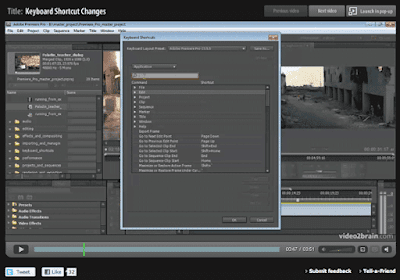
Clay Asbury has some tips for Premiere Pro CS 5.5 - Creating a Custom Keyboard Layout at Vimeo.

Adobe’s Todd Kopriva has several new courses on Premiere and After Effects in the hopper at video2brain. They’ll be publishing a few of these courses as entirely free titles, starting now with What’s New and Changed in Adobe Premiere Pro CS5.
April 2, 2011

ETLAT: Edit this, look at that

Chris and Trish Meyer posted another part in their series CMG Hidden Gems: Chapter 18 – Nesting. The focus here is on how to efficiently navigate and edit a chain of nested comps, and looking under the hood a bit to help you trouble­shoot. Especially interesting is coverage of ETLAT or “Edit This, Look at That,” which is the result of locking a Panel then viewing or working in another Composition. ETLAT lets you preview changes downstream while working in a nested comp, and beyond. AE Help explains:


"If a Composition viewer is locked, the Timeline panel for another composition is active, and the Composition viewer for the active composition is not shown, then most commands that affect views and previews operate on the composition for which the viewer is shown. For example, pressing the spacebar can start a standard preview for the composition visible in a locked Composition viewer rather than the composition associated with the active Timeline panel."

CMG presented additional use cases for ETLAT. CS5 added several more several more features so that now "ETLAT behavior works for keyboard shortcuts for zooming, fitting, previewing, taking and viewing snapshots, showing channels, showing and hiding grids and guides, and showing the current frame on a video preview device."

One shortcut that may be handy is Shift+Esc to toggle between two compositions. There's more in AE Help and in Creating Motion Graphics.

Update: Chris Meyer covered CS 5.5 updates to ETLAT in video, as did Todd Kopriva, and later shared another example from After Effects Apprentice:


After Effects Apprentice 15: Final Project | by Chris Meyer and Trish Meyer

March 20, 2011

The Parallel Worlds of 3D in After Effects

Chris and Trish Meyer posted CMG Hidden Gems: Chapter 16 - Parallel Worlds on PVC. It's an introduction to the "Parallel Worlds" of special cases and gotchas that crop up when you try to combine 3D layers in After Effects, live Photoshop 3D layers, plug-ins that render 3D images onto 2D layers, renders from 3D programs, Adobe Repoussé (Photoshop), and Digieffects FreeForm (included in CS5).

This "Hidden Gems" summary covers:
  • Rendering Bins (3D layer groups) and Breaks (2D layer pipelines)
  • Casting 3D Shadows Onto 2D Layers
  • 3D Effects and 2D Layers
  • Making Photoshop 3D Layers More Interactive
  • Displacement Mapping with FreeForm

You can find more on these topics in 3D layer interactions, render order, and collapsed transformations in AE Help and of course in Creating Motion Graphics with After Effects 5th Edition (reviewed earlier on AEtuts+). There's also extras from CMG itself -- an excerpt from the Parallel Worlds chapter with some extra stuff not covered in the current summary, as well as an Integrating with 3D applications excerpt on importing 3D info from Maya, Cinema 4D, 3ds Max, and other 3D apps.

March 13, 2011

Hidden Gems: 3D, Cameras, Lights, Photo Filter

Chris and Trish Meyer recently posted some tips on orienting yourself in After Effects 3D. Advanced users (aren't we all) be warned, you're entering known space on 3D Space, Cameras, and Lighting in 3D (and the Photo Filter effect).

CMG Hidden Gems: Chapter 13 - 3D Space covers the basics of working with 3D layers in After Effects and includes moving, rotating and animating layers in 3D space, offsetting their anchor point in Z, as well as auto-orientating layers along a 3D path. Also covered is using the Composition’s 3D Views, View Layouts, and Axis Modes, along with the rendering order when mixing 2D and 3D layers.

CMG Hidden Gems: Chapter 14 - Camera covers creating and animating a camera, including creating camera rigs and taking advantage of auto orientation, as well as showing how to cut between multiple cameras. They conclude by discussing the camera’s parameters in more detail, including how to fake focus and depth of field effects.

CMG Hidden Gems: Chapter 15 - Lighting in 3D discusses the different types of lights and their parameters, how lights interact with layers and their Material Options, the many secrets of shadows, creating gels and gobos, faking reflections, adjustment lights, projection lights, and using 3D lights to re-illuminate already-shot 2D footage.

This last article has a bonus movie on the Photo Filter effect (more in AE Help).

February 28, 2011

Hidden Gems: 3D Space


Chris & Trish Meyer’s series of tips, tricks, gotchas, factoids, and shortcuts continues with CMG Hidden Gems: Chapter 13 - 3D Space.

This article, 1st of a group of 4 on 3D in After Effects, covers Rotation versus Orientation, 3D Views & Shortcuts, View Options, Axis Modes, and Mixing 2D and 3D Layers. That last section is good to review because of the gotchas with Layer Styles and Adjustment Layers with AE 3D. Chris explains:
Groups of 3D layers that are stacked between 2D layers in the Timeline panel are internally flattened down to a 2D result, as if they were in a precomp by themselves. The entire composition is then rendered as if it consisted only of 2D layers, with each group of 3D layers being treated as a single 2D layer in the middle of the stack.
AE Help explains it this way:
You can apply a layer style to a 3D layer, but a layer with a layer style can’t intersect with other 3D layers or interact with other 3D layers for casting and receiving shadows. 3D layers on either side of a layer with a layer style can’t intersect one another or cast shadows on one another.

comp
If you remember that it's an odd man out in render order, Layer Styles are useful beyond the obvious for light wraps (see AE Portal) and Track Matte shadows (explained by Chris Meyer in an earlier Hidden Gem; other wrinkles at PVC). Keeping track of render order is tricky, for more see Creating Motion Graphics (AEtuts+ book review), Standard render order and the Transform effect (video by Todd Kopriva), 3D layer interactions, render order, and collapsed transformations in AE Help, and Understanding The Render Order In After Effects at AEtuts+.

February 18, 2011

CMG Hidden Gems: Masks, Stencils, Track Mattes


Chris & Trish Meyer’s series of tips, tricks, gotchas, factoids, and shortcuts continue with tips on Masking, Track Mattes, and Stencils in CMG Hidden Gems: Chapter 10 – All About Masking, CMG Hidden Gems: Chapter 11 – All About Track Mattes, and CMG Hidden Gems: Chapter 12 – Stencils and the “T” (the Transparency switch).

For additional handy info and tutorials, see Track mattes and traveling mattes, Stencil modes, and Preserve underlying transparency in After Effects Help and The return of the Set Matte filter at AE Portal.

If you don't know already, check out the tip on hitting the Arrow keys while drawing Rounded Rect mask or Polygon/Star shapes. For some handy info, see the sections on creating and working with masks in After Effects Help, and posts tagged mask at AE Portal.
January 30, 2011

Blending Modes: CMG Hidden Gems + more

Chris & Trish Meyer's series of tips, tricks, gotchas, factoids, and shortcuts continues with tips on layers in CMG Hidden Gems: Chapter 9 – Blending Modes.

This edition has a video tip on tinting with solids or gradients and modes.

There's other details on blending modes in AE Help: Work with layer blending modes and Exclude channels from blending, and via the AE team from Motionworks, Blend Modes on Collapsed Layers. And there's additional resources of course:


January 22, 2011

CMG Hidden Gems: Motion Blur +

Chris & Trish Meyer's series of tips, tricks, gotchas, factoids, and shortcuts continues with tips on layers in CMG Hidden Gems: Chapter 8 – Motion Blur and More.

There's other details and additional resources about motion blur in AE Help sections on Motion Blur, Timewarp, echo, and fields. See also Adding motion blur to video or 3D renders on AE Portal.


January 10, 2011

More After Effects tips

In 2009 Chris & Trish Meyer had another series of tips, tricks, gotchas, factoids, and shortcuts on PVC, similar to the current one called Hidden Gems (6 of those so far so far).

January 8, 2011

Hidden Gems: Chapter 6 - Layer Essentials

Chris & Trish Meyer's series of tips, tricks, gotchas, factoids, and shortcuts continues with Creating Motion Graphics with After Effects Hidden Gems: Chapter 6 - Layer Essentials, which covers some basics and the not-so-basic on:
  • Option Paste for Current Time
  • Convert Footage to Layers
  • Replace Source
  • Guide Layers
  • Scroll Layer to Top

[update... Todd Kopriva added links for: details of placing layers in time, guide layers, selecting layers, and changing layer stacking order.]

January 1, 2011

December 10, 2010

CMG Hidden Gems: comp window tips

Chris & Trish Meyer have started a series of tips, tricks, gotchas, factoids, and shortcuts from each chapter of Creating Motion Graphics with After Effects 5th Edition for both new and experienced users. The 2st installment is Creating Motion Graphics Hidden Gems: Chapter 2 - Creating a Composition, covering:
  • Get Snapping
  • Add Layer Power Drag
  • Side-by-Side View
  • RAM Preview Options
  • Option/Alt Button Clicks
For similar recent efforts, see After Effects Leftovers: 40 tips better the next day, A few quick tips for After Effects, and Keyboard shortcuts you (maybe) don't use.

December 5, 2010

CMG 'Hidden Gems': After Effects 101


Chris & Trish Meyer have started a series of tips, tricks, gotchas, factoids, and shortcuts from each chapter of Creating Motion Graphics with After Effects 5th Edition. "These will include both essential tips for new users, as well as timesaving gems that experienced users may not be aware existed." The 1st installment is short and aimed at beginners, Creating Motion Graphics Hidden Gems: Chapter 1 – After Effects 101.

For similar recent efforts, see A few quick tips for After Effects, Keyboard shortcuts you (maybe) don't use, and After Effects Leftovers: 40 tips better the next day.

November 1, 2010

Shape Layers in After Effects

Severin Baschung discusses the basics on Shape layers in After Effects in a text tutorial on AEtuts, The Wonderful World Of Shapes In After Effects, and more shape tutorials on the same website.

For more on Shape layers see:

Update: Andrew Devis has about 15 tutorials on Shape Layers in After Effects, ending on 12/30/2011.

Trish and Chris Meyer shared an introductory PDF excerpt from the “Shape Layers” chapter of their book Creating Motion Graphics with After Effects (5th Edition).Check out CMG Hidden Gems: Chapter 32 – Shape Layers.

Chris and Trish Meyer also released After Effects Apprentice 14: Shape Layers, a course on Lynda.com, with a preview on PVC. After Effects Apprentice Free Video: Exploring Shape Effects shows how to create and animate vector-based artwork directly inside After Effects, creating shape layers and paths, applying shape effects, and reordering shape operators. See also the intro by Brian Maffitt, and Converting Imported Vector Graphics from Illustrator to Shape Layers by Todd Kopriva.

Again, Chris and Trish Meyer posted After Effects Apprentice Free Video: Drawing Parametric Shapes, explaining how “the same tools you’ve used to create masks can also be used to create Shape Layers - with far more options than you might have imagined. ... Chris covers creating so-called “parametric” shapes: rectangles, ellipses, polygons, and stars. There are a number of modifier keys you can use while dragging out a shape to control its position, symmetry, roundness, number of sides, and the such. After a shape path has been created, it is then highly editable. Chris shows how to dissect a shape layer’s construction: It’s actually a series of modules, and the order of those modules - such as Fill and Stroke - can have a big impact on how the final graphic renders.”

Jonathan Berkey shared a Berkshop: Quick Tip Tutorial on Shape Layers in After Effects.

Mattrunks posted an English tutorial, Shape Layers as creative tools; here’s the preview:


“Bending” an extruded shape layer in CS6 from Danny Princz (@rendernyc) notes that in CS6 “You can now bend a 2d layer till it becomes a half cylinder, but the 3D extrusions do not have that option… Depending how far you need to go there are some workarounds.” He shows a duplicated extrusion to make a bend.

In the series Iron Man Widgets, Stefan Surmabojov aims to take you beyond basics using the true power of shape layers inside After Effects

Eran Stern shows Shapes from Vectors – Make instant Promo using the new Create Shapes from Vector Layer in After Effects CS6:


Here's Todd Kopriva's introduction, Extruding 3D Text and Shapes and Modifying Geometry Options, from the free After Effects CS6 New Features Workshop from Video2brain. See also the intro by Brian Maffitt.


Shapes and Masks is a new AE script that is designed to give users more control to create shapes and masks, including spiral creation and options to transform mask paths and export mask data to a text file. See also Creating shapes and masks in AE Help. 


June 13, 2009

Expanding masks & rounded buttons

Todd Kopriva notes use and accident in mask expansion and rounded corners: "For each point on the original mask path, imagine a circle radiating outward by the number of pixels by which you're expanding." ... ...more.


May 28, 2009

Insight into (Blur) Effects

Lynda.com is hosting After Effects: Insight into Effects, created and produced by Trish and Chris Meyer. Insight into Effects covers the AE blur effects, and includes hidden gems, optimal parameter ranges, "gotchas" to avoid, and alternatives to consider.


This series on blurs join others on Lynda.com, including the recent AE tutorial sets
Natural Light Effects and Light Transmission, mentioned in a previous AEP backgrounder. If you don't have a Lynda.com subscription, you might try a free 7-day pass to check out the massive library beyond the free samples.

And of course there's a hefty amount of completely free stuff from this team at their PVC blogs Creating Motion Graphics and
CMG Keyframes, and at Focal Press and Artbeats.

Update: Chris and Trish Meyer also posted After Effects Tips 5: Going for a Scroll explaining techniques to easily create scrolling banners, ticker tapes, and other graphics. And later they covered important basics in After Effects Apprentice Video Tutorial #6 , "a quickie on how to use the 3D Axis Arrows to manipulate 3D layers"