"...we’re presenting a collection of user tips, editing tricks, and a couple of notes regarding RAM and operating systems designed to assist your transition into Premiere Pro. Culled from various Premiere Pro discussions from within our own Adobe CS5 forum, this article takes the golden nuggets that might have been harder to find on their own from within the myriad topics on our site and presents them all together here in an easy-to-read abridged format (including links pointing to each original thread, in case you want to dive in to any particular point and explore it more thoroughly)."
After Effects is a multithreaded application that can also use other forms of multiprocessing beyond just Render Multiple Frames Simultaneously multiprocessing, and it is possible for the processors to become "overscheduled" if these threads are competing for the same resources as the background processes used for rendering with Render Multiple Frames Simultaneously multiprocessing.'
The Apple Store's Meet The Expert series has an interview with video editor Peter Wiggins, who discussed working on the Tour de France along with some tips and techniques (via Oliver Peters). There's more on his blog, along with his templates through Idustrial Revolution.
One cool thing mentioned was PictureReady, which offers the ability to record a QuickTime movie which is available immediately for editing.
"Sometimes you need to shoot with two or more cameras and that introduces the need to synchronize them. Some high-end cameras have genlock capability but what happens if you your cameras don’t have it or you work with a mix of different cameras? Slating is always a good idea but there is an easy way to have immediate synch in your NLE, this first tutorial shows you how."
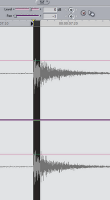
Getting proper clapper can be awkward in many circumstances. Making a little movie with the Timecode filter in AE (for alternatives see AE Help), as Paolo recommends, is easy enough that you can get most camera people to shoot at a laptop playing this movie. And when using Premiere Pro, you can change the Timeline from timecode (video frames) to audio units (audio samples). This is a nice feature of Premiere because you can scrub to synchronize in 41,000 or 48,000 audio samples as opposed to 24 or 30 video samples.
I'm Not Bruce noted (along with other things good to remember) that Syncing Multipclips 1/100th of a Frame at a Time is possible in Final Cut, so better scrubbing is not just in Premiere Pro. In FCP, you can scrub in the audio Viewer with the Shift key down to help with precise tasks.
And of course Topher Welsh follows soon after with a post today. Of note here are the recent intermediate level videos for AE from Greyscale Gorilla – "How to Work Faster in AE" and "How to Use Simple Shapes and Masks" (below).
Another good intermediate level video comes from Jeff Carrion at SuiteTake, via the EDITBLOG on PVC, "The Top-Ten Things I Wish I Knew About Final Cut Pro…Ten Years Ago:"
Update: The Top 10 Final Cut things to know, listed from SuiteTake,
10. Shift and option dragging 9. Quick Ken Burns effect [slideshows] 8. QuickTime vs Quicktime Conversion. 7. The Black and code button. 6. Option 1,2,3 for transition alignment 5. Esc, tab, spacebar to navigate windows 4. Apply normalization to audio in FCP 3. Disable dropped frames warning. 2. Disable rendering with caps lock. 1. Map your keyboard.
Of course the top 10 varies by person, and extends quickly to other matters beyond UI; for more advice see AEP's Better editing + shooting & music for useful lists of editing tips from Oliver Peters, Steve Hullfish, Chris Meyer, and Little Frog, and advice on more general issues from Hitchcock, Scorsese, Murch, and others.
Todd Kopriva notes use and accident in mask expansion and rounded corners: "For each point on the original mask path, imagine a circle radiating outward by the number of pixels by which you're expanding." ... ...more.
Studio Daily is carrying video from an April meeting of AlphaDogs Editors' Lounge which featured four seasoned editors talking about the craft of editing and "the lessons they have learned in decades of work and offer bits of wisdom not found in any film school or editing manual."
The Kuleshov Effect, a montage effect demonstrated by Russian filmmaker Lev Kuleshov, is explained near the end the video below. There's more on good stuff on editing from the sometimes nicely obscure Hollyn-wood.
Reposting from earlier... as noted on Flippant News, Hitchcock explains the three types of editing:
According to Walter Murch, when it comes to film editing, there are six main criteria for evaluating a cut or deciding where to cut. They are (in order of importance, most important first):
emotion — Does the cut reflect what the editor believes the audience should be feeling at that moment?
story — Does the cut advance the story?
rhythm — Does the cut occur "at a moment that is rhythmically interesting and 'right'"? (Murch, 18)
eye-trace — Does the cut pay respect to "the location and movement of the audience's focus of interest within the frame"? (Murch, 18)
two-dimensional place of the screen — Does the cut respect the 180 degree rule?
three-dimensional space of action — Is the cut true to the physical/spacial relationships within the diegesis?
 Premiere Pro CS5 Tips, Tricks, and Notes is a substantial follow-up to Pete Bauer’s recent DVinfo.net article Adobe Premiere Pro CS5 Six Months Later: