January 8, 2011

Hidden Gems: Chapter 6 - Layer Essentials

Chris & Trish Meyer's series of tips, tricks, gotchas, factoids, and shortcuts continues with Creating Motion Graphics with After Effects Hidden Gems: Chapter 6 - Layer Essentials, which covers some basics and the not-so-basic on:
  • Option Paste for Current Time
  • Convert Footage to Layers
  • Replace Source
  • Guide Layers
  • Scroll Layer to Top

[update... Todd Kopriva added links for: details of placing layers in time, guide layers, selecting layers, and changing layer stacking order.]

Demystifying color grading, with footage

Oliver Peters posted another set of color experiments in Demystifying Color Grading II. He shows how many different tools can be used to design interesting looks in Final Cut and Avid, and includes a ton of examples using native tools, Magic Bullet Looks, Magic Bullet Colorista II (see the recent review by LFHD), and filters from GenArts, Coremelt, BorisFX, and Noise Industries.


The cool thing is that you have access the the same source footage:

"As subject matter, I decided to play with the short film Convergence, filmed by UK Director Martin Scanlan and DoP Steve Lawes. This is one of the first video pieces produced with a pre-production model of the brand new Sony PMW-F3 camera. Scanlan was kind enough to post both the ungraded offline-edited version and the final color-graded version of Convergence on Vimeo. Further info is on their blog. They have graciously made the ungraded version available for download, so I pulled some examples from the 1920×1080 H264 file."

Oliver provides links to his other recent articles on color (see especially Color Correction Effects Demystified and Grading with Color Wheels); click the tag color to find AE Portal color-related notes.

Waveform, vectorscope, and basic color correction

Andrew Devis has series of newer tutorials on color in After Effects and Premiere. Here are the ones for AE:


Related AE Portal posts include: White balance + more with Color Finesse, Profiles and color management in AE, How to talk to a Colorist, and a review of the book Color Correction For Video by Steve Hullfish at AEtuts. See also Color Correction in Adobe After Effects CS3 by Mark Christiansen, an excerpt from his book that covers what you really need to know about Levels & Curves.

By the way, there are 2 other 3rd party plug-ins that provide good monitoring in AE (not in a modal dialog box), Synthetic Aperture Test Gear and Metadma ScopoGigio.

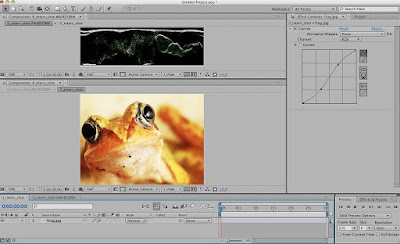
An interesting free Pixel Bender filter was posted on Video Copilot last year, Waveform Monitor by Peter Werner, shown below.

Plexus plug-in: testing & tutorials

The Plexus plug-in for After Effects from Satya Meka (@gutsblow) is feature complete and in testing, if you're interested. A plexus is a tangled network structure in biology (eg, solar plexus), and the plug-in creates something similar in 2D or 3D in After Effects. Plexus works with AE lights and paths with custom and shaded sprites, and OBJ 3D objects can be imported and render as plexus wireframes.

Satya has already posted some demo tutorials on Vimeo:


Procedural Disintegration: 3D layer to particles

Similar to effects discussed earlier in Shatter and disintegration: techniques for our time, Quba Michalski has a new After Effects tutorial video, Procedural Disintegration, that shares a "method for disintegrating/dispersing a 3D layer into particles. The method shown here has been optimized to produce maximum amount of particles at lowest computing cost (more stuff flying around, faster renders)."

Other Quba tutorials with context can be found in previous AEP posts.
This 70-minute tutorial requires Trapcode Particular and VC Optical Flares or similar. Project and MP4 downloads are available on Quba HQ, plus there's Vimeo versions for mobile viewing. Here's a preview the current tutorial:


Update: see also the "layer removal" tutorial for Particular, Dealing With Spontaneous Particle Combustion by Ben Watts at AEtuts.

January 7, 2011

Spirals and After Effects

 http://provideocoalition.com/ryoung/story/spirals-in-after-effectsSpirals are used as design guides and elements or paths for text, shapes, and particles. Here's a few resources for using and creating spirals in After Effects and other Adobe applications.

For an updated version of this article, see Spirals in After Effects at ProVideo Coalition.

'Forget the Film, Watch the Titles': the DVD

The first 'Forget the Film, Watch the Titles' DVD set is coming soon. Its 2 DVDs feature almost 3 hours of content: 38 of the best contemporary title sequences from 2003 to 2011 and 9 short documentaries about title designers shot on location in L.A., Paris, London, Amsterdam, and Berlin.

For more see, the preview info and this trailer: