Showing posts sorted by relevance for query quba. Sort by date Show all posts

August 3, 2010

Create a Light Wall: tutorial & preset

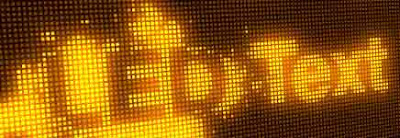
Quba Michalski shows you how to create a Light Wall – an array of lights driven by an animated image map that can be used for either cool light/flare looks or for precise control over the particles. There's a free tutorial, project, and preset on his website; the preview is below.

Similar treatments can be found in Quba's previous tutorials and in Creating an LED sign in After Effects, Creating Automated Flashing Light Patterns by Chris Zwar, 3D Ball Dispersion with CC Ball Action, and Jumbotron in After Effects.


Light Wall Tutorial Preview from Quba Michalski on Vimeo.

_______________________________________________

UPDATE: Kevin P McAuliffe created a video wall in 3D space in Complex, Real-World Effects with BCC Wild Cards.

March 31, 2010

SplatterType: splatter animations with just a few clicks

via @hashae, Quba Michalski has a new free After Effects tutorial (+preset & project), SplatterType:

"that will allow you to create amazing ink and paint splatter animations with just a few clicks. Much like my Alphabet Soup tutorial, SplatterType relies only on After Effects text animators and does not require any additional plugins (3rd or even 1st party). Robust set of controls make it highly customizable, while the expressions work in the background to do all the hard work for you."

I had to do a double-take on Quba's post dated April 1st, but he's in Istanbul.


SplatterType Tutorial and Preset Preview from Quba Michalski on Vimeo.


January 16, 2011

Cinema 4D Dynamics + Depth of Field

The influence of Cinema 4D in motion graphics continued to grow in 2010, and not just in making shiny balls. It's enough to spark interest in someone burned out on 3D from time in the Electric Image world.

Some Cinema 4D training resources were mentioned awhile back on AE Portal, and an attractive library of training is available from Tim Clapham. Tim's training can be found at Fxphd, Motionworks, and now HelloLuxx, where he recently released Cinema4D Dynamics Training.

News on the intersect between 3D and Affects Effects and compositing is often covered by Lester Banks, but there's a few new resources on Cinema 4D depth of field. As Quba Michalski notes, "Cinema 4D has a rather counter-intuitive method of producing depth of field. Both the camera controls and the way in which C4D handles depth maps can be a cause of major headache, especially for the newcomers to this program."

John Dickinson has created a new Cinema 4D DOF Quick Reference Guide, which "shows a top view of an actual Cinema 4D camera with extra visuals to help explain what the numbers in the Camera Depth Of Field dialog box are actually doing."

To simplify set-ups Quba has posted Cinema 4D Depth of Field Camera Rig, a 46-minute tutorial and preset, which also aims to help with "exporting both the 3D camera data and depth maps to After Effects (and potentially other compositing packages)." [Update: there's already an upgrade to Quba's C4D rig; see iDoF Camera Rig: Community Update 1.1.]

Here's the preview video, which seems similar to what Andrew Kramer showed using just Affects Effects in a tutorial that came with Optical Flares:

January 8, 2011

Procedural Disintegration: 3D layer to particles

Similar to effects discussed earlier in Shatter and disintegration: techniques for our time, Quba Michalski has a new After Effects tutorial video, Procedural Disintegration, that shares a "method for disintegrating/dispersing a 3D layer into particles. The method shown here has been optimized to produce maximum amount of particles at lowest computing cost (more stuff flying around, faster renders)."

Other Quba tutorials with context can be found in previous AEP posts.
This 70-minute tutorial requires Trapcode Particular and VC Optical Flares or similar. Project and MP4 downloads are available on Quba HQ, plus there's Vimeo versions for mobile viewing. Here's a preview the current tutorial:


Update: see also the "layer removal" tutorial for Particular, Dealing With Spontaneous Particle Combustion by Ben Watts at AEtuts.

March 9, 2010

An Alphabet Soup of Fake Text Particles

Lester Banks noted a new 65-minute After Effects tutorial by Quba Michalski, Tutorial: Alphabet Soup (Fake Text Particles). Quba says:

"Rather than using Trapcode Particular (which many of you may not have installed) or CC Particle World (which really could use an update to its coordinate system) the project fakes particle simulation through use of text animators. This quite lengthy tutorial is derived from another Video Bits project I created a while ago."

Alphabet Soup Tutorial Preview from Quba Michalski on Vimeo.

May 25, 2010

Scrolling LED Text in After Effects


In a new After Effects tutorial, Scrolling LED Text, Quba Michalski shows "you how to create your own highly customizable LED screen effect, ready to convert any text or image into pixelated goodness. The video covers the setup, expressions and usage of this versatile preset."

You can download the project file along with an
MP4 version of the tutorial. Here's an example:

Scrolling LED Text Tutorial Preview from Quba Michalski on Vimeo.


June 6, 2010

'100% Accurate Reflections'

In a new After Effects tutorial and project, 100% Accurate Reflections Tutorial, Quba Michalski demonstrates "how to build a two-camera rig in order to create perfect 3D reflections. using this technique, you will be able to reflect not only 3D layers, but also lights, particles, as well as any plug-in that obeys the movement of AE's 3D camera.

The setup is trivially easy when using hand-animated cameras, but in the second half of the video I also show you how to create a more complex rig for use with Video Copilot’s Sure Target 2 camera controls."


You can also create reflections with 3rd party AE filters like RGS Warp, Zaxwerks Reflector or the free VC Reflect filter -- and through a variety of other tutorials via the tag . Here's Quba's preview:


Update: Rob Garrott shows Two ways to create a reflective floor in After Effects,

April 17, 2009

Shatter and disintegration: techniques for our time

A few recent After Effects tutorials feature memes for our time: shatter and disintegration. Using the Shatter filter built into AE is Design a Breathtaking Body Shatter Effect by Lloyd Alvarez and expanding into another direction is After Effects: The Dark Knight by John Dickinson.

Going beyond a previously noted 'Knowing' dead planet is Disintegration by Andrew Kramer, which uses displacement, turbulence and the built-in Particle World filter. The foundational tutorial by pioneer Brian Maffitt could not be located.

Update: see also Procedural dispersion with Trapcode Particular from AE tuts and Procedural Disintegration: 3D layer to particles from Quba HQ.

Update: it's not the tutorial referred to above but check out the Shatter plug-in tour from Total Training vault.

June 23, 2011

Effects A-Z tip: Card Wipe

From here, life goes on at PVC...

The After Effects: Effects A-Z tip series from Motionworks continues with guest host James Zwadlo demoing the Card Wipe transition effect in After Effects.  Card Wipe (AE Help) and Matrix (from AE Scripts) are both easier to use than the Card Dance effect.

Update: here's the latest ones available in the series...

January 19, 2011

Are After Effects cameras difficult to use?

Referring to recent videos and a mini-roundup, Quba asks, Are After Effects cameras difficult to use?

He's got a short poll for feedback, with viewable results. Comments from Motion users and 3D artists might be interesting.

March 20, 2015

Chromatic aberration roundup at PVC

A few years ago there was a spate of interest in chromatic aberration -- fixing footage containing the color fringing, but mostly creating it for motion graphics and VFX realism. Now, Quba Michalski has a new tutorial & preset (and donate button) in Chromatic Aberration Rig

Read the rest in Chromatic aberration: creation and fixes with After Effects at Pro Video Coalition.

[fix for PVC]

January 30, 2010

Volumetric Clouds in After Effects?

Quba HQ saya he's working on a project but can't explain the details yet in Volumetric Clouds in After Effects? Yes We Can!

One way to do that in After Effects was mentioned by Brian Maffitt on an old Total Training tape. He demoed making a 3D volume of a human from scanned slices of some poor guy and said one might do the same with renders some Fractal Noise or similar as offset 3D layers.

There's probably a variety of additional techniques found through some searching, and maybe Andrew Kramer's cloud still as particle might help. One option might be to use the AE filter Aurora Sky: "Taking advantage of the new 3D capabilities of After Effects, Aurora Sky lets you use texture and cloud shaping maps to create an infinite variety of skyscapes... [it]... works in 3D space, both its own and After Effect’s. The built-in camera can fly throughout the vast world within the plug-in, using all the standard axis controls."


Updateas noted in comments, Aurora Sky might not work. QubaHQ never posted but the wireframes were rendered. There was a successful project from Dan Sollis though:

March 21, 2014

Chromatic aberration roundup at PVC


[fix for PVC]
A few years ago there was a spate of interest in chromatic aberration -- fixing footage containing the color fringing, but mostly creating it for motion graphics and VFX realism. Now, Quba Michalski has a new tutorial & preset (and donate button) in Chromatic Aberration Rig

Read the rest in Chromatic aberration: creation and fixes with After Effects at Pro Video Coalition.

June 13, 2010

Automated Light Rig tutorial & preset + Particular smoke

Quba Michalski has a new After Effects tutorial and project, Tutorial+Preset: Automated Light Rig:

"Most of the time it is the best practice to manually control the lights in your After Effects scenes. There are situations however, when you may want to automate the dynamic changes in light color and intensity while maintaining high level of control over the look of your composition. That’s what the Automated Light Rig is all about.

In this tutorial I will show you how to link your lights with automated samplers on an image map, creating an ever-changing, yet unified, light rig. While the tutorial explains the expressions in depth, I am also providing you with presets simplifying the entire process into just few clicks.As a little extra, I will also show you how to create a 3D light-aware smoke using Trapcode Particular (my method is a bit more involved than the standard Particular setup, but produces results that are much more true to life)."

March 29, 2010

A few spirographs in After Effects

Spirographs in After Effects had it's 15-minutes of fame several years ago and lost in the mists of time around here anyway, except for tutorial/project posts from Chris Zwar, Ayato, and Michele Yamazaki (now only in her book).

... this post was updated on ProVideo Coalition as Spirographs in After Effects.

Note: code from comments by Jason Lee Peacock,

I've recently been looking into this topic myself, but within a 3D space (thanks to the modified code of Dan Ebberts) http://twitpic.com/1ao7d0 , having seen this via Quba Michalski http://qubahq.com/2005/08/sine-sphere/ 

http://twitpic.com/1bscaz .. Literally clueless to the math ( http://tinyurl.com/yeg37lt ) I just kept tweaking Dan's code until I got the result I was after..

r = 200; //radius of sphere
Theta = Math.PI*time*5*Math.sin(10)/2;
Phi = Math.PI*time*1/2;
theta = ease(time,Theta,Theta);
phi = ease(time,Phi,Phi);
sinPhi = Math.sin(phi);
x = r*Math.cos(theta)*sinPhi;
y = r*Math.sin(theta)*sinPhi;
z = r*Math.cos(phi);
center = thisComp.layer("Null: Center").position;
center + [x,y,z]