November 24, 2009

Effects A-Z: the Bulge filter with Eran Stern

Motionworks' sorta weekly tour of built-in AE filters continues onto the Bulge filter, with guest host Eran Stern demonstrating the Bulge filter.

Chris & Trish Meyer have a similar series on Lynda.com, except it is running though filters by Effect category (as in the Effect Menu). Chad Perkins had a similar treatment in his Lynda.com 2008 series After Effects CS3 Effects.

November 23, 2009

Locating expressions with Expression Toolbox

AE Scripts has a new uber script for After Effects.

The Expression Toolbox, by Chris Roe, "was created to help take the pain out of using and locating expressions. At some point you’ve probably come across an expression that you find yourself using on every other project you work on. The question is where do you store this expression? I noticed that a lot of people were storing their expressions in text files, without documentation of how they were used or where it could be found. Without knowing who created the expression or how to use it, you’re left waiting on an answer from a mailing list or web forum on how to properly apply it.
...
The next step for the Expression Toolbox will be an online entry system that will allow you to enter your expressions to a global web driven database that anybody can access. You will then be able to download the most recent version of this database directly from the script."

From AE expression controls to custom filter

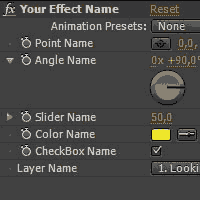
Create Your Own Custom Effects! by Momcilo Stojkovic is the opener for a week of custom effects at AE Tuts. This text tutorial shows you how to modify and reimport PresetEffects.xml, so you can group and save expression controls as a unique filter/preset in After Effects.

Throughout the week we'll see more on the use of these and other effects capsules. Here's what on order next at AE Tuts:
  • 'We then have another tutorial from Momcilo using what you've just learned to Create A Custom Vignette Effect. This will just be practical example of how you can use CE's to save you time on stuff you find yourself doing over and over again...
  • Next, there will be a 3D Layer Distributor tutorial. This awesome little CE from Rob Schofield will allow you to spread out your layers in 3d space with ease.
  • Make Jack Bauer proud with this "24" Title Opener Tutorial by Jorrit Schulte where you can download his CE and he'll show you step by step how to use it "Your Way"!
  • Also from Jorrit, you can download his free Deinterlacerator CE to redeem your old DV footage stricken with scan-line syndrome.
  • We've collecting together a "Microwave-Ready" Roundup where you can browse through a number of Free Presets and CE's packaged up and ready for you to use.

November 22, 2009

Colorista mini tips from 5tu

From the Stu Maschwitz Twitter stream, in response to a Photoshop user who asked, "where to begin to do Colorista type 3way L/G/G adjustments":

#Colorista tip 1: You can think of the three trackballs as a GUI for PS Levels. Lift is like in/out black, Gain is i/o white, gamma = gamma.

#Colorista tip 2: The stuff in The DV Rebel's Guide about push/pull grading with Rebel CC holds even more true with Colorista.

#Colorista tip 2b: Colorista in FCP compared Colorista with an NLE 3-way color corrector.

#Colorista tip 3: Watch this! ...


Red Giant TV Episode 22: Creating a Summer Blockbuster Film Look from Stu Maschwitz on Vimeo.

Smoke for Mac demo in SF

Advanced Systems Group and Apple Inc. are holding special technology previews of Autodesk Smoke 2010 for Mac OS X on December 15 in San Francisco.

Sessions are 4:00 -05:30 pm and 6:30 -08:00 pm at The Landmark at One Market Street (a building with Autodesk offices).

Update: (11-27) The Official Autodesk Technology Preview of Smoke on Mac has 4 movies from the presentations in Japan.

November 20, 2009

Unplugged 14: interview with Harry Frank

Motionworks' Unplugged 14 features part 1 of an interview with Harry Frank:

"In this episode of Unplugged, Harry Frank of Graymachine discusses how he went from “button-pushing” audio engineer to accomplished motion design artist, and shares his belief that, with enough determination and time, anyone can learn to design. We talk about the tough times being faced by many in our industry right now and, on the lighter side, Harry gives his opinion on who would win an After Effects expression shoot-out between himself and Maltaannon. We wrap up with a look at Harry’s latest product Video Rock."

Another After Effects survey, or three.

Please take (another) survey or two. Pretty please?

"Please take one or both of the following surveys about tasks that you might do in After Effects. Pretty please? Your doing so will help us to learn what people are having trouble with and how we can make it better."

While you're at, if you're interested in Autodesk Smoke or Avid DS, and want to make After Effects into a better DV Rebel-style finishing tool, then make a feature request at the Adobe website.

What's needed for this is an NLE-like realtime playback architecture and more editing features; for more see What Should Adobe Do With Premiere Pro? by Stu Maschwitz. Of course, in the short term Premiere has to be more stable, which is the point of the 64-bit OS rewrite.