 Adobe AE notes 10 Things I've Learnt in AE That I Wish You to Know Before it's Too Late by David Alex Wanganju. If you get into it be sure to follow up with the comments on AdobeAE Facebook.
Showing posts with label basics. Show all posts
Showing posts with label basics. Show all posts
March 13, 2011
'10 Things I've Learnt in AE'
Adobe AE notes 10 Things I've Learnt in AE That I Wish You to Know Before it's Too Late by David Alex Wanganju. If you get into it be sure to follow up with the comments on AdobeAE Facebook.

January 29, 2011
'After Effects Apprentice' translated to video
Chris and Trish Meyer are taking the lessons in their book After Effects Apprentice and recording them as a video training series at Lynda.com. If they're like the book, the lessons will be project-based and methodical yet gentle.
January 14, 2011
'12 days of VFXmas' continues
Freddie Wong and company are still posting their "12 days of VFXmas" videos on YouTube. Wong "exploded" onto the scene this year, which you might remember from such blog posts as Realistic Muzzle Flare Tutorial and Light Warfare + Behind the Scenes.
The 12 days of VFXmas are on freddiew's other channel on YouTube and on Facebook. Episodes look behind the scenes with a range of content, including how After Effects is used to create homegrown action scenes. So far they've covered blood hits, greenscreen match lighting, track mattes, slow motion, blood splatters, background plates, rotoscoping, and more.
Update: Youtube interviews Freddie and partners,
The 12 days of VFXmas are on freddiew's other channel on YouTube and on Facebook. Episodes look behind the scenes with a range of content, including how After Effects is used to create homegrown action scenes. So far they've covered blood hits, greenscreen match lighting, track mattes, slow motion, blood splatters, background plates, rotoscoping, and more.
Here's the intro:
Update: Youtube interviews Freddie and partners,
December 31, 2010
After Effects 101: Core After Effects
One basics training set overlooked here is After Effects 101: Core After Effects hosted by Richard Lainhart, a longtime user who ran the old AE NYC user group with Brian Maffitt. It was released in late October.
The training's host is macProVideo.com, an online education community similar to Lynda.com though leaning more to audio. You have to register for previews, but there is easy access at their YouTube channel with 5 previews of this title:
December 29, 2010
Some tutorials for removing logos and objects
A complete outline of the DVD training course Adobe After Effects CS5: Learn by Video can be found with the 20th free video, Removing a Logo from a Moving Image. (Streaming only on Video2Brain). A similar beginners' video is also available, Removing an Object with Clone Stamp (embedded below from a Peachpit podcast series).
For a resources of various difficulty levels, see Leak object removal tutorial and other AEP posts tagged roto like Roto: removing unwanted objects, Basic Footage Coloring And Object Removal, Simple Object Removal in AE, and Stabilization and object removal with AE CS5 +tracking.
For a resources of various difficulty levels, see Leak object removal tutorial and other AEP posts tagged roto like Roto: removing unwanted objects, Basic Footage Coloring And Object Removal, Simple Object Removal in AE, and Stabilization and object removal with AE CS5 +tracking.
December 20, 2010
Vimeo Video School
Vimeo Video School provides bite-sized spoonfuls on video-making topics, organized in categories. Tutorials come from the staff and members of Vimeo; the discussions of Timelapse are good and come from familiar sources.
Nick Campbell of GreyScale Gorilla is featured for an initial After Effects tutorial.
December 19, 2010
Toward realistic explosions in After Effects + bang!
BlueCast Studios posted a tutorial on YouTube, Realistic Explosions (but really, pedestrians in San Francisco aren't that jaded).
 Note: There are a number of stock footage resources that have footage. Video Copilot has a stock/training DVD Action Essentials 2 (see the compositing demo), and Forging Fire posted about free stock footage from Detonation Films in Free Explosions - Fire - Missile - Decapitation Footage.
 Steve Holmes has several tutorials on integrating fire and smoke into environments in his Artbeats videos. Todd Kopriva summarizes these in a kind of course outline in Steve Holmes Artbeats podcast.
 Also, Mark Christiansen's book After Effects Studio Techniques explores best practices of common creative VFX tasks, including those involving light, environment matching, heat, and explosions. One of the chapters is free on the Peachpit Press website: Pyrotechnics: Creating Fire, Explosions, and Energy Phenomena in After Effects. See especially his advice on modes and luma mattes.
 Update: The CGSociety was digging through its vault and goes back to 2005 for the basics with a study of the anatomy of the explosion by Kieron Helsdon; see BANG! The Anatomy of Explosions.
Update: see also Mind-Blowing Movie Explosions Explained from Reactions and
a Tuts+ course on the topic, Smoke, Fire and Explosions in Adobe After Effects with Christopher Kenworthy.

This one is good for those just learning After Effects (you know who you are), who might follow Todd's sage advice: "the best place to start is at the beginning." If you're at the beginning, try these then some of these and maybe these; then see Andrew Kramer's explosion compositing demo and his explosion tutorials).
Advice is not too different for those wanting to learn faking fire, gun fire, muzzle flashes, and so forth; see Fire in After Effects, Realistic Muzzle Flare Tutorial and Muzzle flash tutorials in After Effects.
 Note: There are a number of stock footage resources that have footage. Video Copilot has a stock/training DVD Action Essentials 2 (see the compositing demo), and Forging Fire posted about free stock footage from Detonation Films in Free Explosions - Fire - Missile - Decapitation Footage.Steve Holmes has several tutorials on integrating fire and smoke into environments in his Artbeats videos. Todd Kopriva summarizes these in a kind of course outline in Steve Holmes Artbeats podcast.Also, Mark Christiansen's book After Effects Studio Techniques explores best practices of common creative VFX tasks, including those involving light, environment matching, heat, and explosions. One of the chapters is free on the Peachpit Press website: Pyrotechnics: Creating Fire, Explosions, and Energy Phenomena in After Effects. See especially his advice on modes and luma mattes.Update: The CGSociety was digging through its vault and goes back to 2005 for the basics with a study of the anatomy of the explosion by Kieron Helsdon; see BANG! The Anatomy of Explosions.
Update: see also Mind-Blowing Movie Explosions Explained from Reactions and
a Tuts+ course on the topic, Smoke, Fire and Explosions in Adobe After Effects with Christopher Kenworthy.
Basic 'Predator' style camouflage effect
Jack Grundy posted AE Basics - 11. 'Predator' Style Camouflage Effect. It uses displacement of course; background is described on Vimeo:
December 18, 2010
CMG Hidden Gems: Chapter 3 Basic Animation

Chris & Trish Meyer's series of tips, tricks, gotchas, factoids, and shortcuts continues with Creating Motion Graphics Hidden Gems: Chapter 3 - Basic Animation.
December 11, 2010
21 free videos from 'AE CS5: Learn By Video'
Todd Kopriva notes that Peachpit just posted 13 free samples from After Effects CS5: Learn By Video, a DVD and book training set "designed to bring you from the beginner level to the intermediate level, as well as to warn and educate you about all of the common pitfalls and gotchas in After Effects." There's more on this title in earlier posts; see Blending Modes from 'AE CS5: Learn by Video' for 14th sample. [update: the count is up to 21 from Todd, and more from Angie Taylor.]
Todd lists the free sample videos with links to pages in After Effects Help and related documents for more details on each subject. Here's an example, Removing an Object with Clone Stamp:
December 5, 2010
'Adobe After Effects CS5: Learn by Video' review

Eran Stern posted a nice balanced review of Adobe After Effects CS5: Learn by Video:
"In summary, this comprehensive and interesting title includes dozens of hours of hands-on exercises. It is served in a nice, pleasant and professional way and gives emphasis on the important parties of the software. After Effects has grown and expanded so much over the years, that even a comprehensive product like this finds it difficult to cover all aspects of it. It’s apparent that the authors have gone into great detail and attention and I think anyone who devotes time to watch all classes will get most of the information he or she needs to start creating motion graphics with the software and perhaps even fall in love with After Effects thanks to the passion of the lecturers."
For other info on this training see Adobe After Effects CS5: Learn by Video and Blending Modes from 'AE CS5: Learn by Video'.
November 14, 2010
Adobe After Effects CS5: Learn by Video
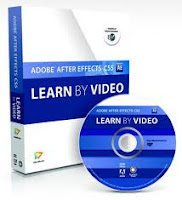 Adobe After Effects CS5: Learn by Video by Angie Taylor and Todd Kopriva is shipping. It's 14+ hours of training on a DVD, plus a 120-page book from Video2brain. Here's what Todd, now in tech support, says about this package:
"I made sure that every single question that we commonly get asked is covered... and hopefully prevented. That's the one way that I'm pretty sure that this series differs from all other resources for learning After Effects. As a separate project, I also recorded this very brief set of FAQ videos. These [free] videos are not on the DVD; longer and more detailed versions of some of the issues are, though.
It's a foundation. This training series is designed to take someone from beginner level to intermediate level. The goal was to give an introduction that would give a person the fundamentals, concepts, and terminology with which to understand all of the other resources out there. We covered motion graphics and visual effects and compositing in roughly equal shares, with Angie doing more with motion graphics, and really showing the depth and fun of shapes, text, and 3D.
Seriously, my focus was on making sure that someone watching these lessons would know all of the fundamental concepts, terms, and controls so that they could then go nuts watching tutorials, playing on their own, or learning however they wanted. I was going to make sure that their house was built on rock, not sand. Angie had a similar focus but, because we are such different people, she did more about actually creating and building. I think that this complementary set of lessons works very well together. [emphasis added + slight edits]"
Update: BTW, Angie has another book out too, Design Essentials for the Motion Media Artist: A Practical Guide to Principles & Techniques, as well as an in-depth design reading list. I missed these using an old link!
October 16, 2010
AE FAQ videos by Todd Kopriva
 Video2Brain has a free series of AE video FAQs by Adobe's Todd Kopriva (aka "Clippy"), Adobe After Effects CS5: Frequently Asked Questions:
"In this free course, Todd Kopriva, co-author of Adobe After Effects CS5 Learn by Video, helps you avoid common After Effects hiccups with a collection of answers to Frequently Asked Questions. Whether you´re having audio hiccups, getting pixelated vector graphics, or getting oversized files or jerky playback, Todd equips you to zip past these common hurdles and get back to creating great effects."
If you're having performance issues in CS5, that FAQ is a good place to start looking for help.
This series is a prelude to a Video2Brain course by Todd and Angie Taylor due in November, After Effects CS5 Learn By Video, a book with video on AE fundamentals.
Update: the real Clippy was spotted at Conigs.

Subscribe to:
Posts (Atom)