Showing posts with label Learn by Video. Show all posts

January 18, 2011

Hand drawn animation with After Effects paint tools

Angie Taylor has quick video tutorial available from Adobe After Effects CS5 Learn by Video (co-authored with Todd Kopriva), Hand drawn animation with After Effects paint tools:
"The paint tools in After Effects are usually used for cloning or filling in mattes, but they can also be used to create stop-motion-style animation. In this movie you’ll see how they can be used to create a stop-motion style without the need for painful frame-by-frame tweaking of keyframes or drawings."
For additional resources, see Paint tools: Brush, Clone Stamp, and Eraser in AE Help.

December 11, 2010

21 free videos from 'AE CS5: Learn By Video'

Todd Kopriva notes that Peachpit just posted 13 free samples from After Effects CS5: Learn By Video, a DVD and book training set "designed to bring you from the beginner level to the intermediate level, as well as to warn and educate you about all of the common pitfalls and gotchas in After Effects." There's more on this title in earlier posts; see Blending Modes from 'AE CS5: Learn by Video' for 14th sample. [update: the count is up to 21 from Todd, and more from Angie Taylor.]

Todd lists the free sample videos with links to pages in After Effects Help and related documents for more details on each subject. Here's an example, Removing an Object with Clone Stamp:

December 5, 2010

'Adobe After Effects CS5: Learn by Video' review


Eran Stern posted a nice balanced review of Adobe After Effects CS5: Learn by Video:

"In summary, this comprehensive and interesting title includes dozens of hours of hands-on exercises. It is served in a nice, pleasant and professional way and gives emphasis on the important parties of the software. After Effects has grown and expanded so much over the years, that even a comprehensive product like this finds it difficult to cover all aspects of it. It’s apparent that the authors have gone into great detail and attention and I think anyone who devotes time to watch all classes will get most of the information he or she needs to start creating motion graphics with the software and perhaps even fall in love with After Effects thanks to the passion of the lecturers."

November 22, 2010

Blending Modes from 'AE CS5: Learn by Video'

Peachpit posted this sample tutorial from After Effects CS5: Learn by Video, which includes 14 hours of video instruction from instructor Angie Taylor and Adobe Technical Support Lead Todd Kopriva. Todd's description of the package was posted here earlier. BTW, this embed behaves better on Firefox than Chrome.

November 14, 2010

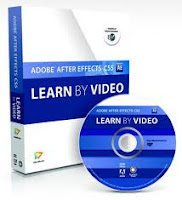
Adobe After Effects CS5: Learn by Video

Adobe After Effects CS5: Learn by Video by Angie Taylor and Todd Kopriva is shipping. It's 14+ hours of training on a DVD, plus a 120-page book from Video2brain. Here's what Todd, now in tech support, says about this package:

"I made sure that every single question that we commonly get asked is covered... and hopefully prevented. That's the one way that I'm pretty sure that this series differs from all other resources for learning After Effects. As a separate project, I also recorded this very brief set of FAQ videos. These [free] videos are not on the DVD; longer and more detailed versions of some of the issues are, though.

It's a foundation. This training series is designed to take someone from beginner level to intermediate level. The goal was to give an introduction that would give a person the fundamentals, concepts, and terminology with which to understand all of the other resources out there. We covered motion graphics and visual effects and compositing in roughly equal shares, with Angie doing more with motion graphics, and really showing the depth and fun of shapes, text, and 3D.

Seriously, my focus was on making sure that someone watching these lessons would know all of the fundamental concepts, terms, and controls so that they could then go nuts watching tutorials, playing on their own, or learning however they wanted. I was going to make sure that their house was built on rock, not sand. Angie had a similar focus but, because we are such different people, she did more about actually creating and building. I think that this complementary set of lessons works very well together.
[emphasis added + slight edits]"

Update: BTW, Angie has another book out too, Design Essentials for the Motion Media Artist: A Practical Guide to Principles & Techniques, as well as an in-depth design reading list. I missed these using an old link!

October 16, 2010

AE FAQ videos by Todd Kopriva

Video2Brain has a free series of AE video FAQs by Adobe's Todd Kopriva (aka "Clippy"), Adobe After Effects CS5: Frequently Asked Questions:

"In this free course, Todd Kopriva, co-author of Adobe After Effects CS5 Learn by Video, helps you avoid common After Effects hiccups with a collection of answers to Frequently Asked Questions. Whether you´re having audio hiccups, getting pixelated vector graphics, or getting oversized files or jerky playback, Todd equips you to zip past these common hurdles and get back to creating great effects."

If you're having performance issues in CS5, that FAQ is a good place to start looking for help.

This
series is a prelude to a Video2Brain course by Todd and Angie Taylor due in November, After Effects CS5 Learn By Video, a book with video on AE fundamentals.

Update: the real Clippy was spotted at Conigs.