Showing posts sorted by relevance for query Mark Christiansen. Sort by date Show all posts

November 14, 2010

Mark Christiansen @ Apple Store: November 18

@AdobeAE notes that Mark Christiansen will appear at the Apple Store in downtown San Francisco on Thursday November 18, 2010, 6:30-7:30 pm:

"Join Mark Christiansen, author of Adobe After Effects CS5 Visual Effects and Compositing Studio Techniques, as he discusses how the world has been changed by advances in visual effects and compositing. Not sure what a compositor does? Mark will demystify effects compositing and demonstrate why it's such a valuable craft."

It looks like Peachpit has a Book + eBook Bundle, which seems pretty handy.

August 25, 2007

Expressions & Scripting Resources for After Effects

Update: There's a new resource summary on PVC, Using and creating After Effects scripts.

Expressions are scripts, but not in the AE world, where scripts are supposed to refer to AE scripts as in the article above. Unfortunately, this cobbled list isn't always clear; note that the leading lights are good resources for both.
.........................................................................................
Earlier, Todd Kopriva outlined scripting changes in After Effects CS6, plus a new scripting guide. And Jeff Almosul and Todd Kopriva detailed the Scripting changes in After Effects CS5 at Todd's Blog. See also AE CS5 Help on Scripts and Expressions.


Jeff Almasol is gradually updating his redefinery scripts so they can be updated to work as dockable panels in CS3. These will include the DV Rebel Tools and ones for Mark Christiansen’s Studio Techniques book.

There's enough AE scripts and expressions floating around to make my head swim, and many of them have gestated at AE Enhancers, the uberforum for scripts, expressions, and presets. Many script and expressions can be freely used, distribute or modified. Here's a quick summary of scripting resources mostly mentioned in AEP posts tagged , Expressions or Scripting...

Expressions & Scripting Resources for After Effects

Training and scripts can be found at:

Motionscript by Dan Ebberts has both introductory and advanced stuff. It's a project-based resource for After Effects scripting and expressions (and there is a difference; for the user scripts are push button affairs). JJ Gifford's basic Expressions in After Effects is old but still attractive.

The Help system is a good resource; see the online version, Adobe AE LiveDocs, which has expressions help and examples. Adobe is offering a scripting guide for AE 8/CS3 at the Developer Center; see Todd Kopriva's outline of changes. See also the AE Help pages on Scripts and on Expressions. You can ask direct questions at the Adobe AE scripting forum.
Other expression training can be found in books like Creating Motion Graphics With After Effects by Trish & Chris Meyer (Dan Ebberts likes the big bonus chapter on the DVD and contributes his own Scripting Overview chapter). They're also adding a 12-part series Deeper Modes of Expression on PVC, based on an extra in their book.

See also The DV Rebel Guide, as well as in video training like After Effects Pro: Professional Features by Total Training. Adobe After Effects Studio Techniques by Mark Christiansen trumps these in the latest version of the book, which features a chapter written by Dan Ebberts.

Creative Cow has a wide variety of expressions tutorials, and forum habited by Dan Ebberts.
Video Copilot has tutorials that include scripting.
Harry Franks added a free intro video Expressions 101 to accompany his Toolfarm training videos.

These sites provide expressions and scripts but not so much training:

Lloyd Alvarez has an often-updated collection of scripts for AE, including BG Renderer CS3, at his domain AE Scripts that later expanded to add top scripting authors and a shopping cart for downloads. Most scripts are still free but the cart makes tipping easier. See also Lloyd Alvarez's AENY presentation on AE scripting. In 2009-2010, Lloyd had an ongoing course at fxphd, an Introduction to After Effects Scripting.

redefinery from Jeff Almasol has a great script library along 'AE Scripting' fundamentals. Jeff Almasol is gradually updating his scripts so they can be updated to work as dockable panels in AE CS3. These will include the DV Rebel Tools and ones for Mark Christiansen’s Studio Techniques book.

AE Enhancers is the expression & scripting forum for AE.

nabscripts from Charles Bordenave has a good number (English and French). He even has something to help you translate scripts into your own language; this script supports English, French, German, Italian and Spanish.
Dr. Woohoo specializes in AE<-->Flash integration where Adobe leaves off.
Adobe engineer Bruce Bullis, former keeper of the AE SDK, maintained the After Effects API Zone.

More valuable scripts and expressions can be found at: Creative Workflow Hacks who links to Armored Squirrel, colinbraley.com, crgreen.com, Leapfrog Productions, nabscripts, Peter Torpey. Cool scripts by Jeff Almasol are also in The DV Rebel's Guide by Stu Maschwitz.

XScriptorium, a new AE scripting resource, was launched in August 2008, and has been testing a revised interface at http://v2.xscriptorium.com. It's joined by a similar new website, After Effects Expressions Reference or AEER. Both aim to help organize and present the vast array of available scripts and expressions.

But wait there's more:

Update: Create Digital Motion posted Edit Ninja: Super Fast Video Sampling Workflow with After Effects Scripting. Here's a snippet: "Like to cut up and sample video? Sick of all that time-consuming scrubbing, slicing and rearranging in Vegas or Premiere? Well I’ve figured out a workflow using a collection of After Effects scripts which turns lots of tedious editing into a very quick process to output a series of video clips for your VJing pleasure. This technique uses the following After Effects scripts:
AEScripts‘ “Magnum - the Edit Detector
Reverse Selected Layer Order
Precomp to Layer Duration
Redefinery’s RenderLayers, and ScriptLauncher, to speed things up even further."

Update: from the aether... Jonas Hummelstrand noted scripts which provide "needed-every-day-functionality:"
-- Lloyd Alvarez scripts "Zorro," "Throttler" and "BG Render"
-- Jeff Almosal scripts "KeyedUp," "ScriptsLauncher," "Statesman," and "CompositionSetter"
-- Dale Bradshaw’s & Paul Tuersley's camera rigging script
-- Dale Bradshaw’s Lower-thirds-generator
-- Paul Tuersley's TrackerViz
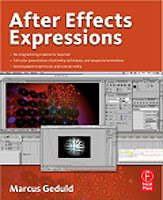
Update (December 2008): After Effects Expressions by Marcus Geduld is a new book on expressions in AE from Focal Press. As noted by Todd Kopriva, Focal Press have made a couple of excerpts of this book available for free. There's also a review of the book by Steve Douglas on Ken Stone's FCP, and you can see the author in action on at least 2 training videos; check out videos Making key frames loop in After Effects and The "wiggle" expression in After Effects.

Update: Todd Kopriva is updating the scripting guide for CS4, and posted a crib sheet with the new and changed items on his blog.

Update: Dr. WooHoo is involved with Flash panel and ExtendScript connections with AIR apps and CS4; see New SwitchBoard and PatchPanel tutorials…

Info on Adobe image processing archtecture and new plug-in format in CS4 can be found in previous articles on , and at Kevin Goldsmith's blog.

Update: In Programmatic Animations in AE with Expressions & Scripting, Michael Coleman and Dan Ebberts (fullscreen) show tips and tricks with Scripting and Expressions in CS4. The parts on the video metadata pipeline were covered more full by Dan Ebberts in an article posted in early 2009 at Adobe, XMP metadata in Creative Suite 4 Production Premium.

Update: Sébastien Périer (Sebastien Perier for Google) has compiled a Top 10 list of After Effects workflow enhancing scripts, ones that he uses the most on a project basis. He also notes AE scripts and websites like AEER, or After Effects Expressions Reference and Final Cut 2 After Effects.

Update: AExtensions is a blog by Mathias Möhl (Mohl for Google), the mind behind the Tracker2Mask, KeyTweak, (AEP backgrounder post) and MochaImport scripts. He doesn't post frequently but posts present deep new features and include video tutorials.

Update: Satya Meka posted the tutorial Intro to Pixel Bender for Non-Programmers, and he likes the math explanations at BetterExplained.

Update: AEtuts started a video series by Frederik Steinmetz, Introduction To Writing Scripts For AE.

Update: Le freelance saucisse is an AE expressions resource in French with interesting and challenging examples. Google Chrome will translate it automatically for your convenience.

FeltTips returned with a few tutorials on expressions, After Effects Random Expression Shenanigans and Quick After Effects Expressions #1 - Camera Targetter

Lester Banks unearthed a 16-tutorial series on expressions by Arun Latvia on YouTube.

AE Scripts and Mamoworld now offer ExpressionTimeline, a new After Effects script that lets you combine and modify expressions without editing the code itself.  

iExpressions from Mamoworld combines the power of After Effects expressions with the convenience of effect plug-ins. They allow you to use expressions without writing any code -- each iExpression comes with an interface to control everything using adjustable parameters. iExpressions seems like something out of Stu Mashwitz blog on the potential of a nodes property panel, but it's just script UI for each expression. iExpressions, available on AE Scripts, ships with over 60 iExpressions in six different categories: AudioLinkingMovement ModifierPhysics SimulationsSource Text, and Wiggles (links to demo movies).


April 17, 2009

Christiansen Birthday Special: 50% off RG Warp

Mark Christiansen's Friday tip at PVC is on the After Effects filter Red Giant Warp. His post, Warped Friday, also notes that The Mark Christiansen Birthday Special gets you 50% off Warp – online purchases only, today, April 17 and tomorrow April 18 2009 with a coupon code.

Previous posts mentioning RGS Warp are here; they include Mylenium's Red Giant Warp 3D Tools and items on tracking and corner pinning.

November 21, 2007

Stu Maschwitz and Mark Christiansen to appear at SF Cutters

According to organizer Claudia Crask, Stu Maschwitz (DV Rebel's Guide) and Mark Christiansen (After Effects Studio Techniques) are scheduled to kickoff SF Cutters' 2008 meetings in San Francisco on Jan 31, 2008.

Stay tuned for the ticket news. Tickets will be $10 in advance and $15 at the door of all remaining of the 300 tickets. SF Cutters Paid Members attend free. Meetings have been held at dvGarage thanks to Alex Lindsay and staff, but the December 2007 - June 2008 meetings will be at Adobe's Macromedia building in San Francisco at 601 Townsend at 7th (bus 19 or walk from CalTrain).

Also, the Monday December 3 End of the Year Party is free (but you must register) with AE/Commotion guru Matt Silverman.

And the January Macworld FCPUG SUPERMEET tickets are available too ($10 in advance, $15 at the door if tickets remain). This event also has great speakers and waiting lists for the last three years. There are currently over $12,000 worth of prizes in the raffle and going up.

September 23, 2009

Tutorials for Digieffects AE filter Camera Mapper

Digieffects has video tutorials for its new Camera Mapper AE filter, mentioned earlier in New AE filters Camera Mapper and Mojo. There's an intro, plus tutorials by Matt Silverman and Mark Christiansen. They also posted a short comparison with the Photoshop Extended to After Effects format Vanishing Point Exchange (AE Help has more).

Toolfarm later posted the latest one by Mark Christiansen:


By the way, Motionworks has a video explaining Photoshop Extended: A workflow with After Effects.

March 29, 2009

RED Post – an Easy Way

In RED Post – the Easy Way Oliver Peters gives you an overview from the perspective of an editor on 2 recent commercials.

Oliver also links to the recent outline of RED post production paths by RED's Ted Schilowitz, Simple Post Production Options for RED ONE. Ted demonstrated Shooting with the RED ONE Digital Cinema Camera in a movie posted last October on MacVideo. For a bit of a reality check, see Matthew Jeppsen's On Set with Red: A Weary AC’s Rant.

Similar tips were by posted last week by Mark Christiansen in 5 Tips to Maintain Sanity in RED Post; more RED info can be found through these posts.

Update: There's a thread on Oliver's article on FinalCutPro-L.

Update 2: Mark Christiansen has another tip, Apply Color Adjustments to RED QuickTimes, for when colors are not quite right working natively with QuickTime files linked to R3D files.

April 2, 2009

Christiansen's 30 April tips starts: BG Renderer

Mark Christiansen is posting 30 tips on PVC in April!

He says, "No matter what is happening in the world around you, that sense of knowing your own value, of what it was important for you to do, helps you to keep doing more of it." That could be, but many people should do something different -- we might need it -- after all this world is no paradise.

Mark's 1st tip is Render Faster & Smarter in After Effects with BG Renderer: This free script will add tons of value to your multiprocessor system.

January 31, 2008

SF Cutters host Maschwitz, Christiansen

The next SF Cutters Monthly Meeting is set for tonight Thursday January 31, 2008 at Adobe San Francisco on 7th and Townsend. It should be a good night for After Effects with these guests:

Interesting vendors and food start the show at 6:30 pm; presentations are from 7 - 9:15 pm.

Update: Stu played the still mysterious Fenderbender, while Mark played the result of Dry-for-Wet, a tutorial he's selling on StudioDaily. Bob Donlon did have some interesting things to say about Flash video. I get the impression that Adobe Media Player's real competition is iTunes. By the way, it's not the only way to play FLV from the desktop! VLC Player and WimpyPlayer (both Mac/Win) are just 2 examples.

February 5, 2009

RED @ SFMOGRAPH: Feb 26 at Adobe

It would be great if this was posted on Vimeo or PVC, like AENY's recent meeting...

SFMOGRAPH is having a meeting on February 26th at Adobe on Townsend Street in SF. You must pre-register for this event. Here's an almost verbatim description of the agenda:

'The February SFMOGRAPH meeting will revolve around Red Camera workflow in After Effects. Mark Christiansen [author of After Effects CS4 Visual Effects and Compositing Studio Techniques] will be kicking off the meeting with an in-depth look. Mark has worked extensively with .R3D files along with a long history working with film, so he has an in-depth knowledge of the "old" process compared to Red. Hopefully, Matt Silverman will chime in too.

Plug-in of the month is going to be comprised of numerous plug-ins that go hand in hand with the Red workflow. We'll take a look at the standard built-in color correction tools in AE, and explain where 3rd party color correctors like Color Finesse, Colorista, Frishcluft Curves, and Magic Bullet Looks fit into the picture.

Lastly we're hoping to see Red work done by anyone in the audience who can bring in clips to share. Please make sure these clips are in Quicktime format.'

Note: Mark's findings should help iron out any wrinkles of this ".01" update; for a prefiguring, see the post by Michael Coleman, After Effects product manager, Tips for Editing and Finishing RED Raw Files with Adobe CS4 Workflows on Studio Daily. To use the updates (from both Adobe and RED), you'd need to meet the hefty system requirements -- and don't forget to change AE’s “interpretation rules.txt” file. It seems that the only color space supported RED's CS4 importer software is Rec709.

There's more on Red Camera workflow from various other sources in previous posts; here's a video (loud to start) on using RED Camera RAW and CS4 by Dave Helmley, which can be viewed fullscreen at Adobe TV:


Update: Final Cut Pro-L has a nice thread on RED workflow. Also interesting is "The Truth About 2K, 4K and The Future of Pixels" by John Galt at Creative Cow, and the Red User Discussion in response. Jim Tierney at Digital Anarchy has additional thoughts and links to an article that explains the difference between sensors.

July 11, 2010

SF Cutters July 15: Sharp & Christiansen, Flash, FxPlugs + more

SF Cutters -- brought to you originally by the Option key in Final Cut -- is having a meeting next week on Thursday July 15th. The meeting is at Adobe at 601 Townsend at 7th in San Francisco.

This meeting is not free; sign up for access. Here's the current agenda:
  • Robert Sharp & Mark Christiansen on "The DigiEffects Ghost of Past, Present & Future"
  • Richard Galvan, Adobe Flash Manager
  • Bruce Gee, Gee Three FxPlugs
  • Kevin Monahan, Final Cut Pro editor
  • "The New Up" Music Video by Hassan Said, Peggy Peralta, and Albert Lopez
  • Goat Hill Pizza served at 6:30, thanks to PixelFlow Video Content Collaboration Portal
  • SF Cutters Giveaway/Exchange table for used books, DVDs, software
  • Raffle & vendor tables

February 4, 2009

Christiansen on Mocha with RGS Warp

At PVC, Mark Christiansen takes a brief look at After Effects tracking and Corner Pin in Red Giant Warp: Get more out of MochaAE. He notes that today is a 50% off sale on RGS Warp.

This follows previous posts Motion blur for Mocha corner pin data and Mocha for After Effects +Corner Pin thread. Other Mocha tutorials were mentioned here.

January 20, 2008

SF Cutters host Maschwitz, Christiansen, Donlon

The next SF Cutters Monthly Meeting is set for Thursday January 31, 2008 at Adobe San Francisco on 7th and Townsend. It should be a good night for After Effects with these guests:
This event has a $10 admission charge and due to circumstances must be paid online by credit card. Paid yearly members of SF Cutters ($50 online) have their admission to meetings covered. If you are inclined to come, please register now, the faster the event fills the more the raffle can fill up; everyone gets two raffle tickets with entry.

Thanks to Phoenix Editorial and Advanced Systems Group the meeting includes pizza, veggies and drinks.

April 11, 2010

Meyer & Christiansen: CS5 new features previews

Lynda.com has several Youtube CS5 teasers for (so far) free CS5 training. Chris Meyer has some free now on Lynda.com: Working with mocha, Repoussé in Photoshop CS5, Repoussé in After Effects CS5.

Mark Christiansen also has some AE CS5 training up on Lynda.com (Roto Brush, Refine Matte, color/modes), with more promised.

Here's the Chris Meyer overview:

July 19, 2010

Christiansen's top 5 features of AE CS5

Mark Christiansen shares some of the ins and outs of his Top Five Features in Adobe After Effects CS5 at Peachpit. Here's a taste of the 6-page article:

'
Even better, you can simply copy that shape from Mocha AE and paste it into After Effects as a mask. Read that again, because this may be the biggest feature in After Effects CS5 that almost no one has discovered: Mocha AE can track a shape around an object over time, and you can copy that shape and paste it into a layer's Mask Shape, with keyframe data, right in the Timeline.

I know what you're thinking: "Weren't you just telling me about this other great automated roto tool?" The point is that no tool does everything. Roto Brush data cannot be converted to Mask Shape keyframes, and masks are embedded into so many operations in After Effects and its plug-ins that you could find yourself using Mocha AE as much as Roto Brush to create roto masks.'

September 5, 2009

Creating fog in After Effects

The Genesis Project's Adobe Beginner Classes Episode #26 is available. It shows you how to create semi-realistic fog inside of After Effects. The clouds are created on 4 layers in Photoshop then animated in After Effects.

There are several essential techniques shown, and the final effect is easy to replicate. As usual there are several additional ways to do this effect. You can adjust the method by using a square image size in powers of 2 (512 or 1024 for example), so that the image is seamless when the Clouds filter creates the fill. Layers can then be used as a seamless tile for animation with the Offset filter in AE. Though spare, you can get away with only 3 layers (as seen in at least one 3rd party fog filter). Other additions should include a light touch of a favored distortion filter and/or 3D moves. Sebastian Sulinski showed how to create a seamless animation loop in another tutorial, Animated clouds effect with Photoshop and After Effects. Here's ABC Episode #26 (mentioned above) from AdobeTV:


A less archaic approach that may require more experimentation is just using the Fractal Noise filter in After Effects; for background, check out the resources in the AEP post Spare time for Fractal Noise.

The use of Fractal Noise for fog is discussed (on page 3) by Mark Christiansen in Climate: Air, Water, Smoke, Clouds in After Effects 7.0, a free excerpt from the book After Effects Studio Techniques. An alternative is the Turbulent Noise filter, which is an updated version of Fractal Noise. It creates smoother animations, but doesn't doesn’t have Cycle controls to create seamless loops. To create a seamless loop of animation using Fractal Noise, see Christiansen or After Effects Help.

Dean Velez also showed how to use Fractal Noise in the Total Training course Advanced Adobe After Effects 7 Pro. Here's a video excerpt if you want to sit through a commercial:


See also a few related implementations in tutorials by Video Colpilot, for example Smoke Screen (using puffs of smoke as particles) and Stabilize Shaky Footage.

Update: see also AEtuts: fog and microfilm look tutorials and the well-regarded VFX Tip #3 - Compositing Fog or Mist from Daniel Broadway.

December 3, 2010

A few quick tips for After Effects

Topher Welsh posted Quick Tips and Hints Inside of After Effects on AEtuts, which has contributions in comments with more tips and shortcuts.

See also Keyboard shortcuts you (maybe) don't use for a video and mini-roundup of other resources. Some of Mark Christiansen's 30 tips in 30 days PVC series from 2009 are noted in Christiansen's April AE tips so far.

October 21, 2009

Offered for your consideration: Codec Wars 2009

While QuickTime X (more here) may just take time to unfold, as it did during the initial transition from OS 9, QuickTime as we've known it could end. It's odd to say since Mac users enjoy the benefits of many codecs and formats that can be used without a hitch.

It's pretty confusing when you step just beyond the world of Apple, and not just because of the gamma problems posed by QuickTime. Since there's no 64-bit version of QuickTime, import/export of QT files haven't been available in the 64-bit Windows versions of Nuke, Eyeon Fusion, or Syntheyes. On the Mac, Apple does provide technology that passes 64-bit Quicktime requests to a 32-bit server process, but it's slow and codec-limited. It's really an industry problem, not just an Apple problem -- but one made apparent by the dependence on QuickTime, as noted last year by Mark Christiansen in Why QuickTime is the US Dollar of Digital Video. Some remain optimistic, like Philip Hodgetts in Why is QuickTime X like OS X? and John Siracusa in his Mac OS X 10.6 Snow Leopard: the Ars Technica review (QuickTime is dealt with on page 6 and page 16 of like 23).

On the distribution front, Adobe Flash video versus HTML 5 video is developing news. Apple is embedding video with HTML 5 style; see, via MacRumors, Apple goes live with HTML5 video. For background on HTML 5 video, see the latest overview from Mark Pilgrim and an AEP post from July, HTTP video: reports on Firefox and Apple. Meanwhile Microsoft seems content to block DivX from Windows 7, and only Google knows if the VP6+ codecs gained by gobbling On2 can compete with MPEG-4.

On the post production side, one might have hoped that Adobe would be a cross-platform savior and buy Cineform to trump Apple ProRes and Avid DNxHD and solve millions of small time intermediate codec headaches from compression, bit depth, and color. Unfortunately there's no one decoder ring to rule them all, and not likely to be in a competitive environment despite the whining, but there's not even an updated OneRiver Media Codec Resource Site. There are some good discussions though, like Codec Wars 2009: Lossless and virtually lossless codecs (eg, ProRes and Bitjazz, which lets you author on Windows) and various threads on REDUser.net.

April 21, 2010

Fxphd term starts with 41 courses

The fxphd term has begun with 41 total courses on VFX, editing, motion graphics, compositing, roto/tracking, 3D, photography, math & scripting, and more. Members have access to a variety of higher end software over the fxphd VPN: Nuke X/Nuke v6, Smoke 2011 for Mac, Mocha/Mokey, Cinema4D 11.5, Maya 2010, PFTrack, Render, ManMassive.

Classes with After Effects are taught by Danny Princz, Mark Christiansen, Tim Clapham, Mark Coleran, and Lloyd Alvarez (Introduction to After Effects scripting). Stu Maschwitz is teaching DSLR Cinematography.

It's quite a deal if you can spare the money and time. They have a QuickTime movie that describes the details vividly.

March 19, 2009

MC: 5 Tips to Maintain Sanity in RED Post

Mark Christiansen, fresh off a preso on RED @ SFMOGRAPH, provides the latest intel on RED starting points in 5 Tips to Maintain Sanity in RED Post: Lose less life working with R3D source. Mark summarizes:

"If there’s one key take-away from this article, it’s this: for the vast majority of projects, preserving full 4K (or even 3K) data is not your main goal; you will find the greatest success by converting to a format that keeps only what you need."

If you have not been reading carefully, you may have missed that "the RED camera records 12-bit images, so a 16 bit linear TIFF or 10-bit log DPX has more than enough headroom to handle the image data at a fraction of the R3D size."

Note: Adam Wilt has some advice for using large files like RED format in Play Ping-Pong for Faster File Flipping: Separating source and destination disks can really speed thing up.

Previous RED news items and links are here.