Showing posts sorted by date for query colorista. Sort by relevance Show all posts

April 22, 2012

Recently in After Effects

CS6 dominates news, but there were still new scripts and a plug-in, and assorted tutorials... @ PVC.

Note: the roundup is replicated here as a backup...


Here’s another summary of the last few weeks or so of news on After Effects— this time CS6 dominates, but there were still new scripts and a plug-in, and assorted tutorials.

AEMap from AE Scripts "creates equirectangular projection maps with 286 separate countries (masks on solids) under 177 jurisdictions (pre-comps). It comes with the 'AEMap Utilities' which contains tools for dealing with a bunch of layers and nested comps." The elements are "continuously rasterized" so they may work in CS6 extrusion and ray-tracing.


cm_Barndoors, new from AE Scripts, lets you "apply a set of barndoors to existing lights, or create a new light with barndoors attached. Each set of barndoors gets a Grip layer that gives you control over each barndoor’s rotation, the entire barndoor assembly rotation and the softness of the barndoor shadows."


Dark Energy for Adobe After Effects is a new Windows-only plug-in that features de-noise and film simulation modules for images up to 1920×1080. It's sold now at a pre-release pricing. Some of these features,  leveraged using Nvidia GPUs, are available in the plug-in:


Paul Conigliaro posted Kill AE, an extension for Alfred app users on OS X; it's similar to other utilities like AE Suicide-After Effects Crash Recovery, ToeJam, and the OS X Terminal method described by Mark Christiansen that saves the project even when AE is frozen.

James Zanoni shows background and multiple machine rendering with AERender, droplet for OS X, in Terminal (command line on the Mac) in After Effects. In reality, that droplet just uses aerender, the executable program in the same folder as the After Effects app that has a command-line interface with which you can automate rendering. You can find details in Automating rendering with aerender in AE Help, and in Background rendering with After Effects . If you want an interface that leverages aerender, see BG Renderer, a script with UI at AE Scripts. Here's James Zanoni:


Trent Armstrong posted an article called Auto-Typing for Expressions, which discusses how he uses auto-typing apps to store and access commonly used expressions. In an article at .net.com, Kinetic typography techniqueswith After Effects, Angie Taylor shows how to use Photoshop and Adobe After Effects for kinetic typography - combining text and motion to express ideas in the form of animation. For background, see Kinetic typography as storytelling; here's the intro for Angie's series on the subject:


In An A to Z of Building Projections - Part 2, Chris Zwar "takes a detailed look at the After Effects workflow used to create the animations for the Melbourne projections, and how the ZBorn Toy and Freeform plug-ins were used." Here's the performance itself:


In a recent trailer for Ridley Scott’s new film Prometheus, we got a peak of some laser-like sweeper technology; now in Episode 76: Promethe-esque Security Sweeper, Seth Worley shows you how to create your own:


EditingWhiz posted Fixing Bad Chroma Key Using Colorista 2:


VinhSon Nguyen posted Planet Space Scene in After Effects and Understanding & Creating Bevels Using ShapeShifter for After Effects on CreativeDojo:


Automatic Lip Synch Of Cartoon Mouths (Papagayo to After Effects) " is a short video to demonstrate the new Adobe After Effects javascript... This javascript reads the MOHO.dat file format, generated by the open source Papagayo software." Another approach by iaian7 using Papagayo was mentioned earlier in the roundup Lip Sync in After Effects. Atom on Vimeo describes his new script:


Quick Tip – Using A Delay Expression by Matas Zaloga "shows how to animate multiple layers by using expressions":


The new features of After Effects CS6 (ships with same version as AE CS 5.5) also include changes concerning mocha, disabling launching Mocha from AE. Mamoworld details the advantages of using MochaImport+ in MochaImport+ and CS6. Here's the basics of this recently updated script:


Creative Suite 6 up to launch

Adobe has announced almost all of CS6 Production Premium (except for Illustrator), and there's a boatload of previews and other resources on the product reveal page for NAB. The full story will be unveiled on Monday April 23 at the Adobe Creative Cloud and Creative Suite 6 Launch.

As usual, Todd Kopriva has detailed "what’s new and changed" for the CS6 versions of After Effects (Global Performance Cache, 3D Camera Tracker, ray-traced extruded text and shapes, variable-width mask feather, new Cycore (CC) effects + more) and Premiere (revised UI & trimming, OpenCL, monitoring, extended multi-cam + more). Colin Stefani did the same for Audition. Photoshop CS6 resources were covered earlier in Photoshop CS6: public beta resources.

You can continue to look to Adobe blogs and AdobeTV for further feature summaries and links to new tutorials. Among many reviews, see particularly the in-depth After Effects CS6 (P)Review by Chris and Trish Meyer.

 Here's a few good overviews of the new offerings, including A Deep Dive into What's New in After Effects CS6 with AE product manager Steve Forde, a nice quick look of new stuff in AE from Angie Taylor, Adobe Production Premium CS6 by Jon Carr from the team of Vincent Laforet, and Adobe Premiere CS6 New Features from FreshDV:


Essential in-depth videos are already available at Video2brain (free) and at Lynda.com (check out the free 7-day trial for fans of Chris and Trish Meyer). Here are some samples: After Effects CS6 New Features by Chris Meyer:


After Effects CS6: New Features Workshop by Todd Kopriva


Premiere Pro CS6 New Features by Richard Harrington


Premiere Pro CS6: New Features Workshop by Todd Kopriva


Nvidia posted a cluster of web pages and demo movies on CS6 acceleration. They want to sell the better graphics cards, but like CUDA and Premiere (which added support for certain OpenCL cards on the Mac), After Effects lets you edit the ray-trace supported preference file to test unsupported setups. Another source of acceleration could be Fusion ioFX, a PCI-type card that extends RAM instead of speeding the disk subsystem like SSD, which could complement AE's new cache system [as could Intel’s SSD 910; see Finally a PCIe SSD from Intel]. For more on that see Steve Forde's Steve, Rob, Vince and Me and some event highlights, plus a good talk with Fxguide (at 1:06:00):


In another development, former AE product manager Michael Coleman @motiongfx (now product manager for Video Editing Workflows) is working on a new product or feature which was demoed at NAB: "Our collaborative editing demo shows two people in two cities editing the same 1080p footage without proxies file transfers." See also Levels Beyond Extends Functionality of its Reach Engine Solution with Adobe Premiere Pro Software for Highly Efficient Content Management on a plug-in, called Reach Engine Access, is compatible with Premiere CS5.5 and CS6.

There's also a growing number of other great tutorials and reviews that were listed AE CS6 and Production Premium Revealed [updated] when you want to dig deeper. Here's few with unique video: MotionBoutique shared several experiments with Newton's physics and the ray tracer in AE CS6:


Peter Salvia and Steve Crouch introduce SpeedGrade CS6 in FCProse Ep6 - FCP to SpeedGrade via Premiere CS6 (from Red Scarlet at 4K, transcoded to ProRes LT and cut in FCP 7, to conforming to native RAW .R3D material inside of SpeedGrade CS6 for a full 4K DI finish). Also below is a nice interview with the Speedgrade team by Fxguide.


Adobe's Ron Day posted several articles like Adobe Audition CS6 Multitrack Enhancements and Audio CD Burning in Adobe Audition CS6. Here's the sneak peek Automatic speech alignment in Audition CS6):


Adobe's Dave Helmly added Intro to Premiere Pro, Prelude, and Encore CS6 & Mercury Transmit I/O


Here's more that were posted before the official launch:

March 30, 2011

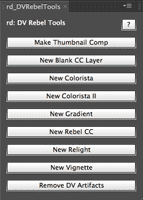
DV Rebel Tools for free

Note: Red Giant released Colorista Free, which is pretty much Colorista 1.
~~~~~~~~~~~~~~~~~~~~~~~~~~~~~~~~~~~~~~~~~~~~~~~~~~
Prolost is celebrating the release of e-versions of The DV Rebel’s Guide (review) by giving away updated versions of the DV Rebel Tools scripts included with the original edition of the book. For many more details, see Rebel's Guide on your iPad or Kindle, DV Rebel Tools For Free.

Here's Stu's tutorial for DV Rebel Tools and a recent color correction session that also features their use (and still hoping for Colorista Free):


January 27, 2011

Colorista session with Prolost

Stu Maschwitz posted a color correcting session, Color Correcting Food with Colorista II. Stu says his "favorite bit is at 09:00 - about why colors blow out ugly on video and how to fix it."

Prolost has a bunch of tutorials and related posts, like Color Correcting Canon 7D Footage and Colorista II Tutorials (6 videos). Here's the session, which uses DV Rebel Tools script and more; there's more on Prolost:

January 21, 2011

Colorista Free: in the works

Red Giant Software is planning to release Colorista Free, according to Stu Maschwitz on Twitter:

"Colorista Free won't have all the features of Colorista II of course, but it will do most of what Rebel CC does. CDL compliant."

For more info on other versions of the Colorista plug-in, see Red Giant, numerous posts on AE Portal, and especially Prolost on Colorista over NLE 3-way CC (what led to the creation of Colorista).

January 8, 2011

Demystifying color grading, with footage

Oliver Peters posted another set of color experiments in Demystifying Color Grading II. He shows how many different tools can be used to design interesting looks in Final Cut and Avid, and includes a ton of examples using native tools, Magic Bullet Looks, Magic Bullet Colorista II (see the recent review by LFHD), and filters from GenArts, Coremelt, BorisFX, and Noise Industries.


The cool thing is that you have access the the same source footage:

"As subject matter, I decided to play with the short film Convergence, filmed by UK Director Martin Scanlan and DoP Steve Lawes. This is one of the first video pieces produced with a pre-production model of the brand new Sony PMW-F3 camera. Scanlan was kind enough to post both the ungraded offline-edited version and the final color-graded version of Convergence on Vimeo. Further info is on their blog. They have graciously made the ungraded version available for download, so I pulled some examples from the 1920×1080 H264 file."

Oliver provides links to his other recent articles on color (see especially Color Correction Effects Demystified and Grading with Color Wheels); click the tag color to find AE Portal color-related notes.

December 8, 2010

How to talk to a Colorist

Walter Biscardi noted How to talk to a Colorist by Alexis Van Hurkman, which discusses topics like these:
  • Brightness is Lightness
  • Contrast Is a Stretch
  • Saturation Is Intensity
  • Hue Is Just a Name
  • Cool and Warm Are Important Descriptions, Too
  • What, Exactly, Do You Want Me to Change?
If this piques your interest, check out @hurkman's other writings on Colorista II, DaVinci Resolve, etc and his recent book The Color Correction Handbook --which covers cross platform fundamentals, tips, and techniques covering the art and process of professional color correction for film, broadcast, or the web with Assimilate Scratch, FilmLight Baselight, Quantel Pablo, Iridas SpeedGrade, Apple Color, and the new version of DaVinci Resolve.

December 7, 2010

CS5 updates: bug fixes, mobile CUDA +

An update to Premiere CS5 has a number of bug fixes (eg, for Colorista II) and adds support for more graphics card acceleration using CUDA on the GPU:
  • Quadro 5000M (Windows only), which is for mobile (i.e., laptop) computers
  • Quadro 4000 for Mac OS (The Windows version was enabled by the 5.0.2 update.)
  • The full list of supported cards for CUDA is at Adobe
Todd Kopriva runs down Premiere CS5 5.0.3 at Premiere Pro work area.

Update: Todd notes detail pages for updates for several products in CS5 Production Premium updates: After Effects, Premiere Pro, Photoshop, Bridge, Camera Raw.

Update: On the AE-List Dec 30, Jarle Leirpoll noted that he gets realtime playback for several HD layers with several filters on his Dell Precision M6400 with the Nvidia Quadro FX 3700M. He said that it was worth some reboots (aka short stretching breaks).

November 3, 2010

2010 Toolfarm Users' Choice Plug-ins


Toolfarm announced the results of its 2010 users' choice Plug-in Awards:

  1. Trapcode Particular
  2. Video Copilot Optical Flares
  3. Video Copilot Twitch
  4. Red Giant Magic Bullet Looks
  5. Trapcode Shine
  6. The Foundry Keylight
  7. Trapcode Form
  8. Imagineer mocha for After Effects
  9. Trapcode 3D Stroke
  10. GenArts Sapphire
(Red Giant Colorista II gets an honorable mention)

September 12, 2010

August 26, 2010

Fxguide review of Colorista II

Fxguide posted an informative review of Colorista II by John Montgomery. Six recent tutorials and more can be found in recent AEP posts.


Update: Prep Shoot Post shows how a little Colorista II makes for GOOD LOOKING CINEMA - THE NEW DIY AESTHETIC.

August 10, 2010

August 5, 2010

Skin Retouching in Colorista II with Stu Maschwitz

Red Giant posted the 5th tutorial in a series by Stu Maschwitz, Cosmetics: Skin Retouching with Magic Bullet Colorista II,

which "shows you how you can quickly and easily use Magic Bullet Colorista II for cosmetic skin retouching. You'll learn simple and effective techniques for subtly downplaying signs of age (such as wrinkles or skin blemishes), and giving pale skin a healthy color, without effecting other elements in your shot."


05 - Cosmetics: Skin Retouching with Magic Bullet Colorista II from Red Giant Software on Vimeo.


For more, see an earlier post "Correct" skin tones and others tagged skin.

Update: See also Quick Skin Tone tutorial in FCP:

August 3, 2010

Power Masks in Colorista II with Stu Maschwitz

Working with Power Masks in Colorista II with Stu Maschwitz shows "Colorista II's Power Masks, with a focus on interaction between the masks as well as using motion tracking (in AE) to get convincing and consistent color correction."

04 - Working with Power Masks in Colorista II from Red Giant Software on Vimeo.

July 29, 2010

The Keyer in Colorista II with Stu Maschwitz

The Keyer in Colorista II with Stu Maschwitz shows "tips and techniques for easily and quickly getting powerful results with the new keying and color correction tools."


July 26, 2010

Colorista II multishot workflow with Stu Maschwitz

There a new video tutorial for Colorista II, Multishot Workflow With Magic Bullet Colorista II:

"In this tutorial, Stu Maschwitz shares a workfow for using Colorista II across multiple shots. He'll share techniques in creating a consistent look, highlighting your subject,and much more. Though he uses FCP in this video, these methods will work wherever you use Colorista II."

02 - Multishot Workflow With Magic Bullet Colorista II from Red Giant Software on Vimeo.

July 22, 2010

Colorista II: a significant upgrade [updated]

Colorista II is available now from Red Giant Software. It's a significant upgrade, and can be used in After Effects, Premiere Pro, and Final Cut (but not Avid or Motion). There's much more detail at RGS and Prolost; here's what's new and an intro video from Stu Maschwitz:
  • A powerful, easy-to-use keyer you to adjust individual colors or ranges of colors.
  • 8 HSL channels make it easy to get your crucial colors just right.
  • Use the new Pop slider to give your images more visual 'pop' or use it for incredible cosmetic touch-ups.
  • Highlight Recovery makes it easy to rebuild blown-out highlight detail.


Update
: there are already reviews,

Update 2: There's many interesting comments around the web (eg, one thread on Creative Cow with Walter Biscardi), and Stu has an addendum to his original post,

'Both Adobe Premiere Pro and Final Cut Pro bypass their own plug-in SDKs for their native 3-way color correctors. They use window configurations and graphics drawing routines that third-party developers don’t have access to. On some systems this can make UI interaction for third-party effects with Custom UIs slow. In the case of Premiere Pro, the slowness can be bad. Real bad.

Have you noticed that Premiere’s own 3-way color corrector has never been ported to After Effects? This is one consequence of the Premiere team’s choice not to use their own plug-in SDK. Another is that third parties cannot provide a fluid custom UI experience within Premiere Pro.

After Effects, on the other hand, “eats its own dog food,” and has no effects that don’t use the public SDK. This means that third parties can create excellent user experiences within After Effects. The benefits to us users are obvious — just look at all the amazing plug-ins available for After Effects.'


Note: See also the comment by Bob Currier of Synthetic Aperture at the Adobe Forums on "After Effects plug-ins versus using Color,"

'I'm biased as to what your choice should be, but one important thing to keep in mind is the basic difference in workflow between a dedicated color correction app like Apple Color, and a color correction plug-in like Color Finesse/Magic Bullet.

Color is designed to work similarly to a traditional tape-to-tape color correction workflow. That is, you complete your edit, lock it all down, then move on to color correction. Doing additional editing after color correction is difficult. The advantage is that you get to work in an environment dedicated to color correction, and the corrector "knows" about the entire project, making global operations easier. But the integration between the editing app (FCP) and the color corrector (Color) is limited.

With a plug-in, you do you color correction in your editor/motion graphics app so that revisions are easy to make, with no need to lock anything down or flatten the edit or effects. Integration between the app (AE/PPro) and the plug-in can be extremely tight. The disadvantage is that the plug-in is applied to individual clips/layers so that the plug-in only "knows" about that one item, making global operations more difficult.

We try to split the difference with Color Finesse, giving you an environment dedicated to color correction, while still being a plug-in. Of course, we also offer our standalone version for Mac users.

Neither approach is necessarily "better" than the other, they're just different. It largely depends on your own workflow preferences.'

For more on Color Finesse, see AE Help's "Resources for Synthetic Aperture Color Finesse."

March 22, 2010

Grading with Color Wheels


Olivers Peters has results of his casual testing of Grading with Color Wheels in a variety of apps including Avid, Apple Color, Aperture, Magic Bullet Looks, Colorista, Adobe Premiere Pro, and Color Finesse. There's plenty in this article which may pique your curiosity to compare further. Oliver was interested in:

"how each treated the image when you used the color wheels. After I did a quick test, it was obvious that FCP and Avid don’t process the image in quite the same way, even when you push what appears to be the equivalent control in the same direction. So I decided to dig a bit deeper. [snip]

In my opinion, Synthetic Aperture Color Finesse produced the most pleasing results out of all of these video images. A version of Color Finesse is also available as a standalone grading application, which uses a similar workflow to Apple Color. In any case, it’s right inside Adobe After Effects [it ships on the install disc], though many editors aren’t even aware of the power they already own if they have the CS3 or CS4 bundle!"

Update: see also Controlling the Color Wheels in Final Cut and Apple's Color by Patrick Inhofer.

November 22, 2009

Colorista mini tips from 5tu

From the Stu Maschwitz Twitter stream, in response to a Photoshop user who asked, "where to begin to do Colorista type 3way L/G/G adjustments":

#Colorista tip 1: You can think of the three trackballs as a GUI for PS Levels. Lift is like in/out black, Gain is i/o white, gamma = gamma.

#Colorista tip 2: The stuff in The DV Rebel's Guide about push/pull grading with Rebel CC holds even more true with Colorista.

#Colorista tip 2b: Colorista in FCP compared Colorista with an NLE 3-way color corrector.

#Colorista tip 3: Watch this! ...


Red Giant TV Episode 22: Creating a Summer Blockbuster Film Look from Stu Maschwitz on Vimeo.

February 8, 2009

Short primer video on Colorista and color correction

PrepShootPost has a short primer video on Colorista and color correction done for Red Giant Software when Colorista was released. He says "the ideas apply to FCP's 3 Way Color Corrector and pretty much all primary color correction tools out there on the desktop."

The rest of Eric's Colorista tutorials for FCP and AE are at Red Giant's tutorials section, and there's more at The Edit Blog and Prolost (which also has a side by side demo, pictured above).

It seems like it wouldn't take that much for Adobe and Apple to add the missing controls to their own filters, since Colorista's were probably inspired from higher-end tools themselves -- or they could just license the filter.