August 31, 2009

Snow Leopard, AE, QT, and Quartz Composer 4 [updated]

Adobe guys are tracking After Effects and Snow Leopard, the 10.6 version of Mac OS X. Besides upgrading to AE 9.02 for multiprocessing, there's not much up. For Photoshop & other products, John Nack is a good source of information.

As a precaution, deactivating AE (or any CS4 app if you have a bundle) might be a good idea since you could avoid dealing with customer service if there's a problem with the OS install.

[update: it turns out that Snow Leopard requires 9.0.2, and you do lose an activation credit so deactivating is advised]

Only time will tell if the QuickTime gamma issue is really solved with current versions of the QT players and other software and old files, etc. While it doesn't get too specific, there's even a Compatibility Wiki by Wikidot for many Mac apps.

Update: CDM has an initial but in-depth review of something new in Snow Leopard -- Mac OS X 10.6: Quartz Composer 4.0 Hands-On Review, New Features.

Update: See the Mac OS X 10.6 Snow Leopard: the Ars Technica review by John Siracusa -- QuickTime is dealt with on page 6 and page 16 of like 23 (via johnmontfx).

Chris Meyer has more in Snow Leopard: Hopes, Misunderstandings, and Gotchas, as does Studio Daily in What exactly is this QuickTime X thing anyway?

Information Visualization Manifesto [updated]

Manuel Lima posted an Information Visualization Manifesto at his blog at Visual Complexity and it's already generated an interesting discussion.

While acknowledging a middle ground for discovery and beauty, Lima draws a distinction between information visualization and information art, which is more often vernacular eye-candy. Here are Lima's 10 directions for any project in this realm:
  • Form Follows Function (not data)
  • Start with a Question
  • Interactivity is Key
  • Cite your Source
  • The power of Narrative
  • Do not glorify Aesthetics
  • Look for Relevancy
  • Embrace Time
  • Aspire for Knowledge
  • Avoid gratuitous visualizations
More on Lima's work can be found in an illustrated video interview by Digup.tv, the presentation at IxDA Interaction'09 (slides), and in a forthcoming video from TEDGlobal 2009. A previous post How to Lie with Video Data noted how sometimes it's not only forecasters that forget that a model is not reality.

Update: BBH Labs has some thoughts in From Art to Apps: Data Visualisation finds a purpose and “Do not glorify aesthetics”: a manifesto for Data Visualisation? See also summary of the TED re-presentation ‘Network Visualization in an Age of Interconnectedness’ – Manuel Lima Talks at BBH by Joe Fry.

Update 2: Lima takes another look at a few loose ends from his particular viewpoint and notes a Wired reference, and Robert Kosara of (eagereyes.org) looks for a new term, Not Visualization, but Visual Analysis.

Update 3: Cool Infographics notes a mash-up of Lima's main site,
"Bestario has created reMap, an interactive portal to view all of the infographics posted on VisualComplexity.com, and it's amazing. They've created semantic connection between the different infographics using tags tat allow for an incredible browsing experience."

August 30, 2009

Custom render sounds in After Effects


Update: details often change in new versions of AE, so see Change After Effects CS5 render sounds, from the next year.

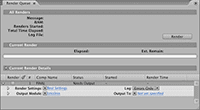
You can turn off or customize the sounds made by renders in the Render Que in After Effects. You can replace the render-complete sounds on Windows by adding files named "rnd_okay.wav" and "rnd_fail.wav" to this folder in Windows XP and Vista:

C:\Documents and Settings\[user_name]\Application Data\Adobe\After Effects\9.0.
C:\Users\[user_name]\AppData\Roaming\Adobe\After Effects\9.0

You can also turn off render chimes by setting "Play sound when render finishes" to "0" in "Adobe After Effects 9.0 Prefs" file (in the same location as above for Windows, or for Mac in Users/[user_name]/Library/Preferences/Adobe/After Effects/).

On Windows Vista (one copy anyway), getting the "Happy-Happy-Joy-Joy" sound (Lynda Weinman's phrase for the original successful render sound) to return after render doesn't seem to work by changing the "Adobe After Effects 9.0 Prefs" file to "Play classic render chime" to "1".

This info is in AE Help, but it doesn't have info on how to replace sounds on the Mac. Information on the web seems based on old methods for Mac OS 7 to 9, which involved mucking around in Mac a resource fork editor like ResKnife.

August 29, 2009

Motion 3D shadows and the reflection gap

Apple Motion 4 has several refinements including shadows and reflections, demoed on Apple's website. Lynda.com's free Final Cut Studio overview also looked at creating shadows, reflections, and specular highlights.

Recently on MacBreak Video, Mark Spencer looked a bit closer at shadows and reflections in Motion 4. Will Adobe respond to Apple, especially in the reflection gap, or will it be left to user kluges like extrusions? In the meantime, see Built-in reflections in AE for Chris and Trish Meyer's formula and tips for creating "faux" reflections in After Effects without 3rd party tools like RGS Warp or Zaxwerks Reflector.

Update: a Motion extra from Oliver Peters, "I'd recommend that you DO install the Motion content. The biggest content chunk will be the audio files for STP and those can be easily installed on an external drive or not at all. If you don't install the Motion content, some of the text behaviors will not show up in the pulldown menu."

Recreating a Lexus commercial

motion graphics eXchange noted a 3-part video tutorial (QT downloads) posted by JMDesign, After Effects Lexus Tutorial by Barbecue. In the tutorial, Ruediger of Barbecue Design shows you how they created parts of a commercial for Lexus Toyota Hybrid Drive using After Effects and Trapcode Particular. There's also discussion of an AE script by Paul Tuersley to make a panorama (or alternatively Trapcode Horizon), and how to integrate the particles into the environment of a 3D scene in After Effects. Here's the original video:


Note: JMDesign also posted some found AE projects from an idea too good to die in Trapcode People Resurrected.

Update: see a later AEP roundup, Panoramas in After Effects.

Nuke & the 'Iron Man' HUD + 'Iron Man 2'

Dav Rauch from The Orphanage walks through their Nuke work on the HUD sequence from Iron Man in movies below from The Foundry's Youtube Channels (via 5tu).

Other reports and interviews on the same subject from Fxguide and Adobe --as well as a tutorial project by Video Copilot -- can be found in these previous posts.


Update: Iron Man 2 UI & motion graphics, both stills and short movies can be found at Perception:
"Using a combination of the Adobe Creative Suite of products and Maxon's Cinema 4D for 3D animation, Perception put out full 2k renders for what would ultimately be a film output for IMAX presentations and normal theatrical release. All working on the Macintosh platform, Perception's team of designers, compositors, animators and rotoscope artists worked tirelessly to deliver the entire package."

Update: In fxguidetv #099 Jan 07, 2011, Marshall Krasser details ILM's work on Iron Man 2 using Nuke.

August 28, 2009

Stylized tunnel using AE Shape, Cylinder, & Color Link

Color Link by Eran Stern is the latest tutorial in the Creative Cow After Effects podcast. Eran shows you how to create a colorful disco-styled tunnel using a Shape layer, CC Cylinder, and matching the look to video using the Color Link effect.