 Steve Holmes Artbeats podcasts and made a list of the episodes with notes about what skill each episode shows well. It's a good idea that reinforces the message.
August 3, 2009
Steve Holmes' Artbeats podcasts summarized
Steve Holmes Artbeats podcasts and made a list of the episodes with notes about what skill each episode shows well. It's a good idea that reinforces the message.

RollingShutter AE filter released
RollingShutter is the new plug-in for After Effects and Nuke from The Foundry that tackles image-distortion problems experienced by users of CMOS cameras. It's even on the VPN for Fxphd members. Here's the video introduction:
The Foundry adds:
"As parts of the image are recorded at different times, fast-moving objects, or objects that pass quickly through frame during camera whip-pans, become distorted with diagonal skews. Other typical distortions include image wobbles created when cameras are held-held, and exposure problems with flashing or strobing lights.
Along with being ungainly and unwanted, these image distortions also increase the difficulty of 3D tracking during VFX post production, as the tracking points themselves can be equally affected or not deliver accurate results. Using Local Motion Estimation technology, we can individually correct parts of the image that are moving relative to the camera, even if they are moving in different directions or at different speeds."
Update: Prolost looks at the Rolling Shutter plug-in, and gives the Maschwitz opinion on 30p to 24p conversions.
The Foundry adds:
"As parts of the image are recorded at different times, fast-moving objects, or objects that pass quickly through frame during camera whip-pans, become distorted with diagonal skews. Other typical distortions include image wobbles created when cameras are held-held, and exposure problems with flashing or strobing lights.
Along with being ungainly and unwanted, these image distortions also increase the difficulty of 3D tracking during VFX post production, as the tracking points themselves can be equally affected or not deliver accurate results. Using Local Motion Estimation technology, we can individually correct parts of the image that are moving relative to the camera, even if they are moving in different directions or at different speeds."
Update: Prolost looks at the Rolling Shutter plug-in, and gives the Maschwitz opinion on 30p to 24p conversions.
AE Apprentice Video Tutorial #8: tracker-stabilizer
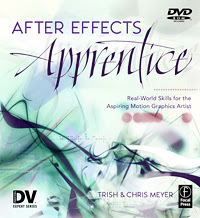 Chris and Trish Meyer have released After Effects Apprentice Video Tutorial #8 onto PVC.
In this short video they "help you get started with setting up the motion tracker and stabilizer built into After Effects. Although this video uses AE CS4, the tracker’s controls have been largely unchanged over the last several versions, so this will also be of use to those using other recent vintages of AE. The tracker in AE is much-maligned (and AE CS4 now comes bundled with mocha for After Effects as an alternative), but once you know the secrets of how the track points work and how to set its options, it works fine for a large variety of shots."
pt_AutoExpress: wiggle, smooth, and loop
While not new, pt_AutoExpress by Paul Tuersley is new to AEscripts: "This script can be used to automatically add wiggle, smooth and loop expressions to any selected properties."

sParticular and Immigration: new AE scripts with tutorials
To celebrate the re-launch of AEScripts there are 2 new scripts with video tutorials: sParticular and Immigration.
Sebastian answered: "Yes it does sadly. So if you have intersecting 3D layers, it will break their intersection. But if not, as long as your layers are properly sorted in Z space, you shouldn't have problems.
It's more a workaround than a definitive answer sadly. But still, you can find some workarounds like rendering your 3D world without the particules (or only without the instance that cause intersection problems), and then render the particules alone using your 3D layers as track matte and then composite your 2 renders together. But yes, true 3D intersection will still be a problem."
 sParticular, by Sebastien Perier, is a script that helps you with 3D integration when using Trapcode Particular. Running sParticular will create as many Particular instances as needed between all your 3D layer and spread the particles in your 3D world, all linked to a master instance you can edit if you need to tweak your particles. Be sure to also check out the sParticular homeland.
 The Immigration script "turns the pain usually associated with importing and batch replacing files in After Effects a joy. While browsing for import, it show file sequences to one line item instead of a long list of files. Immigration uses a custom algorithm to scan the file system at speeds dramatically faster than even the OS can. In our testing a server folder with 30,000 files that takes over 5 minutes to open in the finder opens in 12 seconds in Immigration (and that includes file-sequence detection!)." There's more info on additional features at AEScripts.
Immigratation is the first commercial script for After Effects, and there's a $10 off promotion; just enter the promo code ImmigrationLaunch at the checkout for for the discount.
Update: There was a nice clarification on sParticular on the AE-List. Phil Spitler asked: "This sounds great, but by putting the 2d Particular layers between the 3d layers, doesn't it break the render order between the 3d layers?"Sebastian answered: "Yes it does sadly. So if you have intersecting 3D layers, it will break their intersection. But if not, as long as your layers are properly sorted in Z space, you shouldn't have problems.
It's more a workaround than a definitive answer sadly. But still, you can find some workarounds like rendering your 3D world without the particules (or only without the instance that cause intersection problems), and then render the particules alone using your 3D layers as track matte and then composite your 2 renders together. But yes, true 3D intersection will still be a problem."
Motionworks: Effects A to Z weekly tour
 Motionworks is starting an extended series of whirlwind tours to uncover essential details of every default effect that ships with Adobe After Effects. This week's fateful trip starts with the Add Grain effect.
Chris & Trish Meyer have a similar series on Lynda.com.
August 2, 2009
AEScripts expands
 AEScripts.com is getting a face-lift and expansion that adds several top scripting authors and a shopping cart for purchases.
The only script not free is the new After Effects script Immigration. The idea is to make it easier for people to donate to script authors, and to aggregate top scripts in one place where you can donate to many authors at once with one purchase. When you add a script to the cart it puts in a suggested amount which can be edited down if desired. Bringing scripts to one place where they have been screened for quality will hopefully improve the whole experience of using scripts.
"AEScripts is a repository and marketplace of high-end scripts for Adobe After Effects. Scripts help enhance and automate otherwise tedious functions. They can also help improve workflows and provide automated operations. You will find scripts from the following top scripts writers from around the globe [links added]:
- Lloyd Alvarez (aescripts)
- Mathias Möhl
- NAB
- Paul Tuersley
- Jeff Almasol (redefinery)
- Sébasten Perier
Subscribe to:
Posts (Atom)