
Showing posts with label performance. Show all posts
Showing posts with label performance. Show all posts
February 25, 2014
Optimizing Premiere & After Effects

January 31, 2011
Optimizing for performance for Premiere Pro & After Effects
 Adobe's Todd Kopriva posted the link to a recording of the recent webinar on optimizing for performance for Premiere Pro & After Effects.
 Todd also provides addition links to relevant resources supporting this wide-ranging update to performance tweaking. He says "The most comprehensive place to find information on improving performance in After Effects is the Improving performance page in After Effects Help. Much of what is listed above can also be found there, plus much more."
Of particular interest for Final Cut users is this from AE Help:
RAM Reserved For Other Applications Increase this value to leave more RAM available for the operating system and for applications other than After Effects and the application with which it shares a memory pool. (See Memory pool shared between After Effects, Premiere Pro, Encore, and Adobe Media Encoder.) If you know that you will be using a specific application along with After Effects, check its system requirements and set this value to at least the minimum amount of RAM required for that application. Because performance is best when adequate memory is left for the operating system, you can’t set this value below a minimum baseline value.
Note: Additional project considerations were discussed by Mark Christiansen in How to Optimize Projects in After Effects CS5.
Update: via @AdobeAE, not exactly related but good for reference is a thread on the Adobe Forums, What PC to build?.
January 11, 2011
Optimizing Performance for Production Premium CS5
Adobe has a live presentation & Q&A on Optimizing Performance for Production Premium CS5, scheduled on January 24, Noon PST. You have to sign up on Facebook for now.If you can't wait for this, check out Setting Up After Effects for Optimum Performance on AE Portal, and this video Setting Up After Effects for Optimum Performance with 64-Bit Systems by Todd Kopriva from Adobe After Effects CS5: Learn by Video:
BG Renderer 2.0: script standard updated
 AE Scripts has just released BG Renderer 2.0, an After Effects script that allows you to render your Render Queue items in the background so you can continue working with After Effects. It runs as a dockable panel that is saved as part of your workspace. BG Renderer now comes in 2 flavors, Basic and Pro, and both versions now require a very low cost license.
After 4 years of compatibility updates, script author Lloyd Alvarez has completely re-programmed how it works, to make it even more easy-to-use and reliable. With the new Basic version you can just render your queue in the background with a click.
[update: Lloyd added more on the AE-List, "The basic version uses low priority to make sure you don't see any performance hits while you continue to work in the foreground. However if the machine is only rendering (ie you are not doing anything else) then the render speed will be the same as if the priority was set to high. What low means is that if there are other processes happening, the cpu will give priority to those over the BG render, but if there isn't anything else going on then the BG render will get full cpu priority."]
The Pro version offer many additional features, including:
- set prefs for the renders
- post render actions which allow you to get "growl" notifications
- send email (with log), send sms and even iPhone push notifications when your renders are done or you have an error
- send a terminal command to be executed after each item in the queue is done rendering and put the machine to sleep or shut it down
- If you are using CS3 or CS4 and have CS5 installed, you can send your CS3 or CS4 render to the CS5 render engine to take advantage of the new 64-bit goodness while keeping your work project in the older version
- a portable app/folder feature that makes it easy to create an ad-hoc render farm quickly by simply copying this portable app to all the machines on your network and just double-clicking it to launch the render on that machine.
For more information on background rendering and notifications, see After Effects render tips, Background rendering with After Effects and AE render notifications: iPhone & beyond at AE Portal.
Here's the overview video:
December 13, 2010
Setting Up After Effects for Optimum Performance
@AdobeAE notes a Learn by Video tutorial (embedded below) about setting up After Effects CS5 for optimum performance. It's more detailed than the previous free FAQ video (also from Todd Kopriva), but not sure here how it differs from other recent blog, Adobe FAQ, and forum guidance noted previously in AE CS5 memory settings & feedback.
A favorite Todd Kopriva quote is, "Because compositions and computer systems vary greatly, there is no one right answer to this question."
Additional project considerations were discussed by Mark Christiansen in How to Optimize Projects in After Effects CS5. Here's Setting Up After Effects for Optimum Performance with 64-Bit Systems by Todd Kopriva:
November 22, 2010
Premiere CS5 6 months later + Avid switchers

@AdobePremiere twittered on a few interesting items today. At DVInfo.net, Pete Bauer takes another look at Premiere Pro CS5 and adds some advice in Premiere CS5 Six Months Later. Here's an short excerpt:
"I’m using a home-built i7 980X with 12GB of RAM, Quadro FX4800, SSD for the OS and a 4 HDD RAID0 for Preview files. I routinely edit 20 – 90 minute timelines using 3-4 HD cameras in a variety of HD formats, typically using “Render and Replace” to sweeten audio in Soundbooth, and include some dynamic links to short After Effects comps. I did have a couple of seemingly random but non-repeatable crashes fairly early on. Thinking back over the past couple months since going to version 5.02 I honestly don’t recall any crashes at all.
I simply cannot overstate how satisfying it is to throw four different types of HD files on a timeline, multi-cam them, color correct, rotate, scale, add transitions, and still see a yellow bar (meaning no preview file rendering is needed) and enjoy fluid performance on the timeline. In fact, I just recently did that with Canon AVCHD, 5DmII MOV, HDV, GoPro mp4 and 24 bit audio wav files all working together in the same multi-cam and target sequences."
Not that everything is always fluid in Premiere -- sometimes you'll see several second pauses before playback starts, app startup can be comparatively lengthy, and conforming can make you wait (though conforming is much less painful than previous releases).
Also tweeted was a new video learning product from Video2brain (for Avid users, a very tough room), Premiere Pro CS5 for Avid Editors: Your Guide to Making the Leap to Premiere Pro! [later, about a half hour of samples were posted from this set on Video2brain]
November 11, 2010
How to Optimize Projects in After Effects CS5
 Peachpit posted a chapter from Mark Christiansen's Adobe After Effects CS5 Visual Effects and Compositing Studio Techniques, How to Optimize Projects in Adobe After Effects CS5. Here's the intro:
Sometimes you take the attitude of a master chef—you know what can be prepped and considered "done" before the guests are in the restaurant and it's time to assemble the pièce de résistance. At other times, you're more like a programmer, isolating and debugging elements of a project, even creating controlled tests to figure out how things are working. This chapter helps you both artistically and technically (as if it's possible to separate the two). Once you
- understand how to use multiple compositions
- know when to precomp (and when it's safe to avoid it)
- know how to optimize rendering time
you may find the After Effects experience closer to what you might consider "real time." This type of efficient rendering depends not only on optimized software and a speedy workstation, but on well-organized compositions and the ability to plan for bottlenecks and other complications.
Note: for performance-related info, see Todd Kopriva post, FAQ: What are the optimum memory settings for best performance in After Effects CS4 and CS5? (and the video version), which links to various help resources. Fav quote, "Because compositions and computer systems vary greatly, there is no one right answer to this question."
November 1, 2010
CS5 & CUDA reports: Tom's Hardware + more
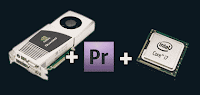
Several review or reports on CS5 & CUDA have emerged recently, including:
- Driving the Engine: As Adobe updates the capabilities of its new Mercury Playback Engine, Premiere Pro editors are rethinking theirs from Millimeter
"Assume you have CS4 and are considering CS5 as a way to become more productive through getting the same tasks done more quickly. We’re going to examine three possible vectors that could be responsible for this performance increase:
- Upgrading from CS4 to CS5. This gives you the benefits of shifting from 32- to 64-bit code and addressing extra memory above the 4 GB threshold.
- Increasing CPU threads. This could be through the addition of cores as well as from leveraging Intel’s Hyper-Threading (HT) feature.
- Employing CUDA. At this early stage of the industry’s adoption of general purpose GPU acceleration, Adobe has started to weave in support for Nvidia’s CUDA platform. We hope that OpenCL and/or DirectCompute support follows soon, but for now we have to examine CUDA as a case study in what exists today and a harbinger of what will come.
Could it be that stepping up from CS4 to CS5 alone could yield enough benefit to make a hardware upgrade unnecessary? Or will an upgrade to CS5 plus bringing CUDA into play make a $500 processor overhaul mandatory? Let’s try to find out."
October 5, 2010
AE CS5 memory settings & feedback
 The After Effects team posted new memory settings recommendations and is requesting feedback -- which may help make for "smarter, more realistic settings for the next version of After Effects." Here's an excerpt from Todd Kopriva's post Please try recommended memory settings for After Effects CS5 and give feedback.:
"We’re now recommending much higher settings for the RAM To Leave For Other Applications and Minimum Allocation Per CPU preferences. If you start with these numbers both quite high, you will avoid the problems of swapping memory to the hard disk (which is a real performance killer) and starving the background rendering processes such that they shut down and don’t do anything."
Update: There's discussion of this on the Adobe Forums, more in an Adobe FAQ, and some on the AE-List where Carey Dissmore began a thread on a benchmark article on Ars Technica,
"Bumpy road to multi-core: Ars reviews the 12-core 2010 Mac Pro, Main article: http://bit.ly/blLbiS
Of particular note is page 4, http://bit.ly/9fZkcT where FCP and AE don't show very strongly on multithread utilization. Looking forward to some future date when these apps are super-optimized. I know development takes time, lots of time, and it's not easy to just multi-thread any old operation. But still…
BTW Premiere Pro is pretty wicked-fast-impressive these days though. Shows what the hardware can do with new code."
July 13, 2010
Hacking Premiere to enable more nVidia CUDA cards
 Even @AdobePremiere is getting into the act of Hacking Adobe Premiere CS5 to enable more nVidia CUDA cards. Using the word "hacked" in red seems to have been effective; the post has generated a good amount of feedback.
Background on this unsupported but tacitly blessed trick can be found in earlier posts like Preference mod unlocks CS5 CUDA acceleration.
Update: there are some instructions for the same on the Mac at Insanely Mac in How To Cuda / Mercury Engine on Premiere CS5 / Snow Leopard [ lower end graphic cards ].
Update: on the AE-List (July 26), Jim Tierney of Digital Anarchy noted,
"Speaking of CUDA, we've recently released a couple things to take advantage of it and it's quite nifty. But in the tests we've done on the boards, the consumer boards compare really well with the pro boards. The GTX 480 holds its own against the Quadro 4800, and is possibly faster, at a third of the price. At least for CUDA stuff. Not sure about general OpenGL performance.
So if you're using Premiere Pro and don't have the cash for a 3800/4800, try
one of the newer high-end consumer boards."
So if you're using Premiere Pro and don't have the cash for a 3800/4800, try
one of the newer high-end consumer boards."
Update: Premiere CS5.0.3 added support for the Quadro 5000M (Windows only) for mobile laptops. On the AE-List Dec 30, Jarle Leirpoll noted that he gets realtime playback for several HD layers with several filters on his Dell Precision M6400 with the Nvidia Quadro FX 3700M.
May 19, 2010
Optimal memory settings in After Effects + faster
There's a new FAQ from Adobe on optimum memory settings for best performance in After Effects CS4 and CS5. It's really a set of links that includes the Help pages on tips for performance improvement and RAM usage in After Effects. Those pages are detailed and thorough, so it might be good to start with a recent AETtuts quick tip by Won Novalis, Understanding Memory and Multiprocessing, which was 'blessed' by a link from Todd Kopriva.
Update: see also Faster by Michael Coleman.
May 10, 2010
Preference mod widens CS5 CUDA acceleration
Some simple modification to a Premiere CS5 preference file and to Nvdia preferences can enable CUDA acceleration on more Nvdia cards, according to reports on Premiere forums. This is not driver modification (softmod) or overclocking, but it is unsupported.The mod seems to have popped up at DVinfo.com in How to make Premiere CS5 work with GTX 295 and possibly all 200 GPUs by marvguitar/Martin Guitar, and spread elsewhere, including to the Adobe forum at Unsupported GPU for CS5.
On Windows, the "GPUSniffer.exe" looks at "cuda_supported_cards.txt" to match the named list of cards with your GPU, so it's just a matter of enabling your card and seeing what works. Adobe has made details on CUDA acceleration and supported cards pretty clear from the start in order to create a pipeline with higher performance, quality, and reliability guarantees. There are plans for more cards to be certified in future but it will take Adobe and Nvdia time and testing resources to deliver new certifications.
If people want to risk some incorrect renders and crashes -- including possible system instabilities on cards with less memory -- then they'll have to take responsibility themselves for testing and support. For jobs, using an untested uncertified card is not advisable, but you should be able to turn CUDA off and render in software. Having inexpensive hardware acceleration for a few layers with effects on DSLR footage has made some users pretty happy.
Some cards will work better than others, but to find out you may have to enter the confusing world of nVidia naming conventions and driver support for CUDA. Here's one list of cards (by no means exhaustive or accurate) that are reported to work:
GeForce GTX 260
GeForce GTX 275
GeForce GTX 285 ( "3 layer limit", Adobe, Mac)
GeForce GTX 280
GeForce GTX 295
GeForce GTX 470
GeForce GTX 480
Quadro CX (Adobe)
Quadro FX 3800 (Adobe)
Quadro FX 3700
Quadro FX 4800 (Adobe, Mac)
Quadro FX 5800 (Adobe)
Update: appearing in late June twitters were of an article by Studio 1 Productions, How to Unlock Adobe Premiere CS5 use almost any NVIDIA graphics card with CUDA acceleration.
Update 2: Premiere gets laptop support with the addition for the Quadro FX 3700M and the Quadro FX 3800M to the list.
Update 3: there are some instructions for the same on the Mac at Insanely Mac in How To Cuda / Mercury Engine on Premiere CS5 / Snow Leopard [ lower end graphic cards ].
May 1, 2010
Native DSLR Editing in Premiere Pro CS5
In this video, Jason Levine looks at Native DSLR Editing in Premiere Pro CS5:
Note: a trial version of CS5 will not include all codecs, though the vague warning has already caused problems for some people (or concern trolls maybe) as seen on Adobe and Creative Cow forums. AVCHD is disabled in the trial version because the H.264 is wrapped in a MPEG-2 transport stream, while H.264 .mov files (eg, Canon DSLR movies) get decoded by QuickTime -- so performance is not as good as in the full version of Premiere where the files are read natively.
Update: Phillip Bloom says Yep, am about to learn how to Edit in Premiere all because of Native H264 editing in CS5.
DSLR Editing in Premiere Pro CS5 from Jason Levine on Vimeo.
Note: a trial version of CS5 will not include all codecs, though the vague warning has already caused problems for some people (or concern trolls maybe) as seen on Adobe and Creative Cow forums. AVCHD is disabled in the trial version because the H.264 is wrapped in a MPEG-2 transport stream, while H.264 .mov files (eg, Canon DSLR movies) get decoded by QuickTime -- so performance is not as good as in the full version of Premiere where the files are read natively.
Update: Phillip Bloom says Yep, am about to learn how to Edit in Premiere all because of Native H264 editing in CS5.
March 8, 2010
AE performance tip: Don't overschedule your processors
 Todd Kopriva performance tip: Don't overschedule your processors,
 'This advice is similar in spirit to the advice given in a previous post, "Performance tip: Don't starve your software of RAM."
In many cases, performance is improved by using fewer than the maximum number of processors for Render Multiple Frames Simultaneously multiprocessing, even when you have enough RAM for all of the processors.
After Effects is a multithreaded application that can also use other forms of multiprocessing beyond just Render Multiple Frames Simultaneously multiprocessing, and it is possible for the processors to become "overscheduled" if these threads are competing for the same resources as the background processes used for rendering with Render Multiple Frames Simultaneously multiprocessing.'...read the rest at After Effects region of interest.
February 17, 2010
Improving performance in After Effects: Caps Lock & beyond
 Todd Kopriva notes tips for improving performance in After Effects in today's post, Hooray for empiricism. Brad Chmielewski tests a couple of performance tips.
The test of the tip on Caps Lock rendering performance is in movie form (embedded below too) at Chmielewski's website Digital Hitchhiker, which is listed in the SqueezeMe.tv feeds. He says that Caps Lock is faster even than closing the Comp and Timeline panels.
Update: in 2003 Stephen Schleicher did some similar tests, and "it looks like completely closing the Comp and Timeline Windows actually improves the speed of the Render. Myth now becomes fact."
Using Caps Lock When Rendering In After Effects from Brad Chmielewski on Vimeo.
Subscribe to:
Posts (Atom)