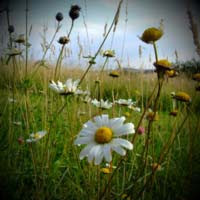
For more on the Circle effect see Maltaannon's video tutorials on the 8-bit Circle effect, Uses of the Circle and Soft Focus (Circle tutorial Follow-up), which also showed making a vignette.
Vignettes have become more popular, and especially in After Effects since the release of the DV Rebel's Guide. Of course there's numerous ways to make vignettes; here are a few tutorials on various options:
- ft-Vignetting by François Tarlier, a 32-bit float capable Pixel Bender that quickly adds a customizable vignette, is available on AE Scripts. See the demo video below.
- Vignettes are part of Red Giant Magic Bullet Looks and Colorista (32-bit; works in NLEs), as the Power Mask features.
- AE's built-in preset Vignette Lighting is available, but uses the 8-bit Calculations effect at the end of the chain.
- Ellipses rather than circles make be more appropriate, and are also easy to generate. Tutorials showing how to use masks and procedural mattes as vignettes are numerous. On YouTube, good ones include After Effects Tutorial - Easy Vignette by VibrancyDesign and Creating a vignette and blurring the edges without MBL by artificialanim.
- Chris and Trish Meyer have a short series of After Effects video tutorials, Extended Vignette Techniques, which shows "multiple approaches to guiding the viewer’s focus" -- as well as tips on masking, creating shape layers, editing gradients, painting in After Effects, lighting in 3D, motion stabilization, using filters like Circle, etc. There's a video excerpt below.
- Similar treatments from Trish & Chris appeared previously as PDFs at Artbeats. See On Artbeats.com: Blending Ideas on extending standard vignette techniques to introduce new treatments to your footage.
- You can also apply a postcrop vignette (under fx) in Camera Raw; see Vignetting in Camera Raw CS5 by Matt Kloskowski. You can use Camera RAW in AE; see Use JPEG files in Camera RAW at AE Portal. On an AdobeAE Facebook post, Chris Meyer commented that the Raw dialog cuts off the high and low color values at the import stage and noted a workaround to recover missing highlights. You can also use the Vignette feature in the Lens Correction filter of Photoshop to add, correct or remove vignetting (it doesn't effects highlights so much).
- In Premiere you can generate a vignette with the Edge Feather effect. Andrew Devis covers some of the same ground in Color Correction 3: Vignette Techniques.
- There are various alternatives for the plug-in built into Final Cut and Motion, for example free ones by Andy Mees and Alex Gollner, or the fancier G_Vignette from Natresse.
- On AEtuts+, Momcilo Stojkovic helps you create a "Custom Effect" in Add A Vignette With Ease – Custom Effect.
- [update] Check out Red Giant QuickTip #42: Using Vignettes in Magic Bullet Looks by Simon Walker.
- [update] Evan Abrams also added a tutorial, How to Make Vignettes (embedded below).
Note: cross-posted at AEtuts.

0 comments:
Post a Comment