
... is a new updated roundup at ProVideo Coalition. There are a variety of ways to make a sunburst effect or radial rays in After Effects.
 AEtuts+ has a free project for Premium users by Tibor Miklos that contains 17 animations of a sunburst, aka radial rays.
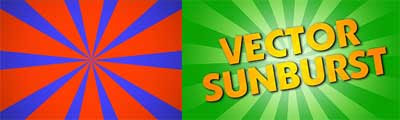 Shortformvideo shows you another method to create Radial rays in his recent After Effect tutorial video (embedded below). He says he used to use a "complex method to create radial rays (grid+polar coordinates), but there’s actually a much easier way to do it!"
 Stephen daimyo2k has a 6-part After Effects tutorial, Expressions / Illusions, on Youtube that many among other things creates a simple optical illusion without keyframes from a radial ray element created with the Polar Coordinates filter. In a cruder manner, you could instead use the Venetian Blinds transition to get some stripes, compify, and then use Polar Coordinates.
  Aharon Rabinowitz builds on the initial version of Todd Kopriva's Radial ray Shape project in After Effects in Red Giant TV Ep. 36: Create a Psychedelic Background. A 3rd party filter (or a dancer) isn't really required here; you could easily just use the hobbled-by-comparison CC Light Burst instead of Shine.

