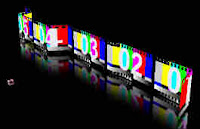
 @AdobeAE noted a Roland Kahlenberg tutorial that shows the use of Digieffects FreeForm to create a filmstrip. It's a new text tutorial on a Toolfarm database that teaches how to make the filmstrip and much more along the way.
There are several more filmstrip tutorials, mostly with different looks, and a free Mac plug-in:
- There's a more recent movie tutorial by Chris Heuer (part embedded below) on Mettle (QT), Toolfarm, and Digieffects -- FreeForm Filmstrip Part 1 of 2. This one uses the Mesh Warp feature in FreeForm.
- A nice use of the CC Page Turn filter by Fabio Cunha in Splice Together A Quick Filmstrip Animation (video) for AEtuts
- Creating a 3D Filmstrip or Flowing Ribbon with Zaxwerks Invigorator (older text) by Serge Hamad
- While not a filmstrip Hypoly shows you an effect that might be handy, how to create a 3D Ribbon / Wire in AE with Trapcode Particular and a few expressions.
- Filmstrip: Creating Film Loops with ForgeFreeForm (older text) by Chris Bobotis
- Image Filmstrip is free in the After Effects version of ImageFlow (Mac OS X only) by CoreMelt
- AE Freemart noted a New Video Tutorial by Rob Birnholz using CC Repetile to make a film strip and Twirl to give the film movement