 LifeHacker has a nice roundup in Top 10 Free Video Rippers, Encoders, and Converters, via FreshDV. Unfortunately it's not always sufficient to point someone to a roundup, unless you're looking for revenge.
Even if you're intimidated by your boss and are afraid to determine ahead of time the nature of their capabilities, you still might find out anyway in a crunch when the boss plays Mara to your Buddha. I have a friend who was asked to develop a presentation (in Apple Keynote) and send a DVD overseas. Of course it would be easier to send a QuickTime file but the boss is the boss, and he's pretty certain he can play a DVD disc.
Our problem is now the busy boss wants to download a file but doesn't know if he has a DVD burner or the ability to encode MPEG-2 or burn DVD-Video. You can do all this with a Mac but the boss uses Windows, and in Windows there no guarantee that the DVD burner can burn DVD-Video.
Now is when you turn to Open Source and freeware to make sure the boss can reach his imagined goal -- and you start to appreciate the niceties built into your Apple and Adobe tools. Using a search engine to find solutions brings up a variety of pay utilities that are often worse than the free stuff. You'd do better looking through these websites that have already collected and organized utilities and "guides" to show you how to do video tasks with free tools: Afterdawn.com, Doom9.org, MBbass.org, Digital Digest, and Videohelp.com.
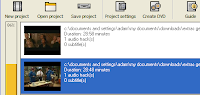
In this case, we're lucky to find solution #1 on LifeHacker, in Hack Attack: Burn almost any video file to a playable DVD. This article recommends DVD Flick and shows you how to use it too. This seems like a great Windows tool since you can import Windows Media or QuickTime files, convert between NTSC and PAL, transcode to MPEG (with FFMPEG), and burn a DVD or ISO image all in one step. An alternative is Avi2Dvd (freeware), but it has a distracting UI. I haven't fully tested either utility myself, but DVD Flick seemed to work fine.
Burning a DVD this way may be leaving too much to fate, or to a boss with delicate sensibilities. It would be even safer to deliver solution #2: a DVD image, which the boss can then burn to DVD or play it from his hard drive.
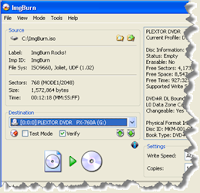 To burn an image on Windows, an easy to use tool is ImgBurn, which is really DVD Decrypter without CSS cracking. ImgBurn works great, but only rips & burns ISO images. If on the Mac you don't end up with an ISO but only generate a "VIDEO_TS" DVD folder (I'd check Visual Hub but the website is down), in Windows you can still use DVD Shrink (like Popcorn usually used to convert a 9 GB DVD to 5GB) to convert the DVD folder to an ISO image. Both ImgBurn and DVD Shrink have a clean UI and are very easy to use.
If there is a problem burning a DVD, you can turn to solution #3: the ISO file can be played from the a hard drive. This can be done in any number of utilities, but I'd recommend using the cross platform utility VLC Media Player, which can play just about any filetype around.
Of course all of this could be easier if somehow the boss could install QuickTime and play a QT file from his notebook PC. Of the course, then he'd have to know how to connect the laptop to a projector or TV.
Somewhat more difficult would be exporting to Windows Media, though the boss would still face transcoding and building a DVD. On a Mac, you can export to Windows Media with WMV Studio at $49. Even harder is using Microsoft free Windows Media Encoder on Windows, because it doesn't import QT files. The new Microsoft Expression Encoder (XP SP2/Vista) does import QT though and has an 180-day trial version.
Finally, there's intriguing but untried YouConvertIt.com, "the world's first and most complete conversion, file storage, units conversion website allowing internet users to convert audio video images and documents into an array of formats also sending or delivering file(s)."