There's an update to this article on Pro Video Coalition, Set Matte: a 32-bpc node for After Effects, which unlike Track Matte lets you use one matte on multiple layers.
Many people don't seem to know the Set Matte effect plug-in exists, maybe because it officially
exists only to provide compatibility with earlier projects. That seems
to have changed since Set Matte was upgraded to support 32-bpc color
depth in After Effects CS6...
The new site will have a leaner feature set, except for expanding submission options. A Twitter account at http://twitter.com/xscriptorium will serve as another channel for feedback.
Via John Nack, Adobe Flash Catalyst is on Adobe Labs. It doesn't seem like it's designed for "the rest of us" even if it imports PSD, AI, and Fireworks PNG files and lets you assign behaviors. The world has changed since mTropolis and Adobe Director were popular, but many UI metaphors haven't.
There are several training resources to help learning though. Adobe provides 12 or so resources to start and links to more -- including over an hour of free training videos in Flash Catalyst Beta Preview by Mordy Golding at Lynda.com. Here's an intro from Adobe (fullscreen):
Update: Beet.TV spoke to Adobe marketeer Dave Gruber about this release,
Wired blogged from E3 yesterday where Microsoft hosted Steven Shpielberg in the introduction of a new game controller (from an acquisition of an Israeli firm), dubbed Project Natal.
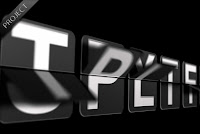
Mattias Peresini of the pleasant French AE website mattrunks has done his first English tutorial for AETUTS. Create a Split-Flap Type Display helps you build "displays that are found in train stations and airports, where they typically display departure and/or arrival information and do that cool flipping of letters to display the new information. This tutorial does not show how to create the effect from scratch but instead it is a tutorial to explain how to use the example project file."
Update: see also Flipside Clock by Brandon Smith, which also creates an old school style of a flip clock using Digieffects Buena Depth Cue v2 Flipside:
To see more, you can check out SIGGRAPH 2009 papers on the web by Ke-Sen Huang. Below are a few related examples of research presented for SIGGRAPH conferences; some of these were mentioned earlier here at AEP, filed under "graphics" or "peek" along with interesting experiments by Microsoft and others. Of course seeing prototype demos doesn't mean you'll see shipping features anywhere.
The SIGGRAPH 2009 paper Multi-operator Media Retargeting furthers research in "content aware scaling" with multiple operators for scaling, cropping, and warping.
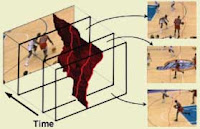
An inverse of "image patching" might be object tracking, extraction and manipulation, and new approaches are being considered here also. Interactive video cutout is an older interactive system for efficiently extracting foreground objects from a video.
The Video SnapCut demo for SIGGRAPH 2009 shows research more recent results in interactive object cutout/roto for video.
 There's an update to this article on Pro Video Coalition, Set Matte: a 32-bpc node for After Effects, which unlike Track Matte lets you use one matte on multiple layers.